
Improve Observability in Your CI/CD Pipeline
The backbone of modern software development is automation and at the heart of that lies the CI/CD pipeline. It’s what turns code into deployable software, delivering changes to users faster, safer, and more predictably.
In simple terms, a CI/CD pipeline automates everything from the moment developers push code to when it reaches production. It integrates, tests, builds, and deploys software continuously ensuring faster releases with fewer human errors.
But setting up a CI/CD pipeline isn’t enough. Without observability and monitoring, even the most automated systems can fail silently, bringing releases to a halt or letting critical bugs slip into production.
This post breaks down everything you need to know from what CI/CD means and why monitoring matters, to how observability strengthens reliability and security.
What's in this blog?
- What Is Continuous Integration (CI)?
- What Is Continuous Deployment (CD)?
- Why Should You Monitor the CI/CD Pipeline?
- Things to Consider When Developing CI/CD Pipelines
- Observability in CI/CD Pipelines
- Strengthening Security in the CI/CD Pipeline
- Scanning Methods for Securing Pipelines
- Keep Pipelines Secure with Continuous Monitoring and Auditing
- Conclusion
What Is Continuous Integration (CI)?
Continuous Integration (CI) is the process of frequently merging code changes into a shared repository where automated builds and tests run every time. The idea is simple: catch issues early, fix them fast, and ensure that every new code commit works with the existing codebase.
When CI is done right, integration issues are spotted before they snowball into major production incidents.
The Core Stages of Continuous Integration
- Code Commit
Every developer commits code to a version control system like Git. Each commit is tracked and reversible, ensuring transparency and accountability across the team. - Static Code Analysis
Once code is pushed, automated scans powered by SAST (Static Application Security Testing) check for vulnerabilities, syntax errors, and poor coding practices before the build starts. - Build
The build stage compiles your application, runs unit tests, and prepares the code for deployment. Build verification, artifact storage, and dependency management also happen here. - Test
Automated tests validate that new code behaves as expected. These include sanity, integration, regression, and stress tests designed to prevent bugs from reaching production. A well-structured CI pipeline can run hundreds of tests in minutes, giving teams the confidence to ship continuously.
What Is Continuous Deployment (CD)?
Continuous Deployment (CD) is the second half of the CI/CD equation. It automates the release process so that every successfully tested build is automatically deployed to production or staging environments. The goal is simple: deliver updates fast, consistently, and without manual intervention.
Continuous Deployment Process
- Bake and Deploy
Before code goes live, it’s deployed to staging or beta environments where QA teams and product owners validate functionality. Once the build proves stable, it’s promoted to production automatically. - Monitoring
After deployment, real-time monitoring takes over. Application Performance Monitoring (APM) tools track latency, error rates, throughput, and system health. If a new release triggers a spike in response time or CPU usage, the system flags it immediately. - Feedback and DevOps Collaboration
Feedback loops complete the process. Developers, QA, and operations teams receive automated updates about each release through Slack, email, or ITSM tools. This continuous feedback fosters rapid iteration and reinforces a culture of continuous improvement.
Why Should You Monitor the CI/CD Pipeline?
A CI/CD pipeline is a living system. It touches every part of your software delivery lifecycle including code commits, builds, tests, deployments, and monitoring. When one component fails, the entire process slows or stops.
Monitoring ensures you can detect issues before they impact production. It gives you complete visibility into each stage to pinpoint where delays, failures, or misconfigurations occur.
Benefits of Monitoring Your Pipeline
- Early Detection of Failures: Detect issues early by continuously monitoring pipelines and identifying patterns such as regressions and flaky test detection, enabling teams to fix unstable tests before they impact production.
- Increased Reliability: Keep your release cadence consistent by ensuring every stage performs as expected.
- Improved Developer Productivity: Reduce time spent troubleshooting broken pipelines.
- Faster Time-to-Market: Resolve issues quickly and maintain a predictable delivery rhythm.
Modern CI/CD tools generate logs and metrics at every stage including commits, builds, tests, and deployments. With the right observability platform, these logs become actionable insights that keep your pipelines healthy.
Want to cut deployment risks before they reach production?
Teams using Atatus reduced pipeline downtime by 45% and gained full visibility into every commit and build.
Start Monitoring with Atatus →Things to Consider When Developing CI/CD Pipelines
Building a CI/CD pipeline sounds straightforward until you’re knee-deep in automation scripts, failing builds, and unpredictable tests. To make your pipeline efficient and reliable, you need to focus on the right priorities from the start.
#1 Avoid Automating the Wrong Processes
Automation should save time, not create unnecessary complexity. Automating trivial or low-frequency tasks can do more harm than good.
Ask yourself:
- How long does this task take manually?
- Does automation meaningfully improve speed or quality?
- Will this process scale as the team grows?
Keep automation focused on repeatable, time-consuming, and error-prone steps such as builds, tests, and deployments.
#2 Ensure Effective Testing
To ensure effective testing, teams need clear visibility into how tests perform across environments and builds. This includes tracking pass/fail rates, identifying bottlenecks, and understanding trends over time. Leveraging detailed test reporting helps teams analyze results faster, improve coverage, and make informed decisions about release readiness.
#3 Build Observability into the Pipeline
Without observability, diagnosing slow builds or failed deployments turns into guesswork. Integrate tools that provide visibility into each stage, from commit to production, so you can trace performance bottlenecks and identify issues immediately.
Observability in CI/CD Pipelines
Modern CI/CD pipelines are complex ecosystems where multiple stages, tools, and environments work together in real time. When one component fails, it can trigger cascading issues unless you have clear visibility into what’s happening. Observability provides that visibility. It helps you understand not just what failed, but why it failed.
Building an Observable CI/CD Pipeline
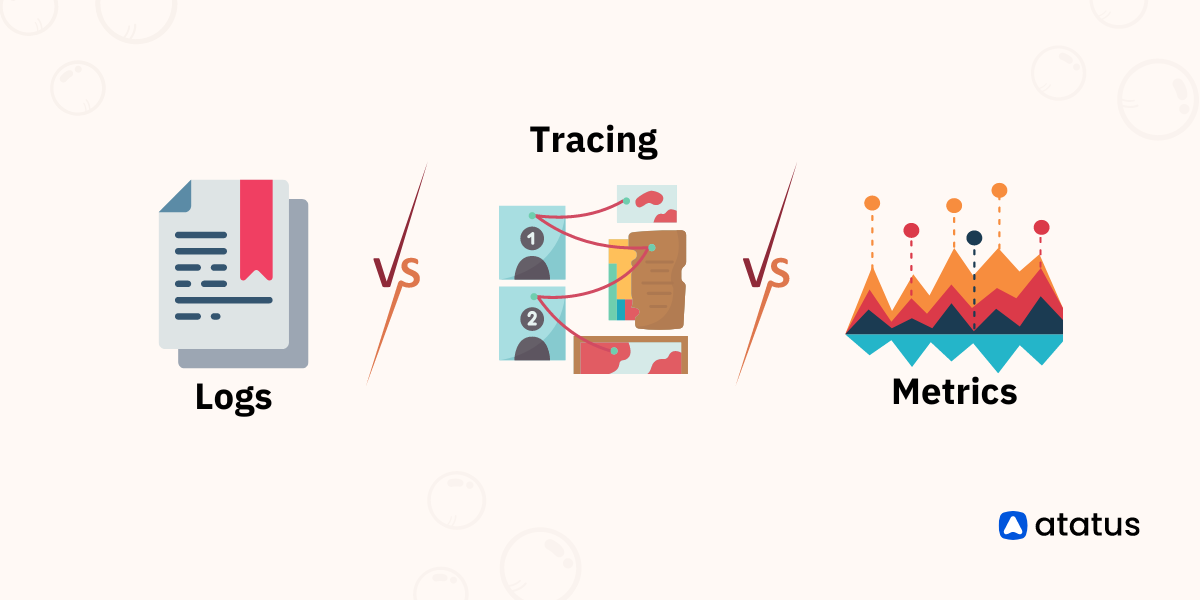
An observable pipeline collects, correlates, and visualizes three core data types:
- Metrics: Quantitative data such as build times, success rates, and test duration.
- Logs: Text-based records of events and errors generated by tools like Jenkins, CircleCI, or GitHub Actions.
- Traces: Transaction-level insights that show how data flows through the observability pipeline.
When combined, these signals create a complete view of pipeline health and performance.
Key CI/CD Observability Metrics
Tracking these metrics over time exposes bottlenecks, highlights inefficiencies, and shows exactly where you can optimize for better speed and quality.
Strengthening Security in the CI/CD Pipeline
Automation doesn’t just improve speed; it’s also your first line of defense against human error. A secure CI/CD pipeline ensures that only trusted code is deployed, credentials remain protected, and environments stay tamper-proof.
Key Security Layers in CI/CD
- Access Control: Apply least-privilege permissions to limit who can trigger builds or modify deployment scripts. This reduces the risk of unauthorized changes and insider threats.
- Routine Scanning: Automate security scans at every stage of the pipeline to detect vulnerabilities early. This includes dependency checks, container image scanning, and code analysis.
- Continuous Monitoring: Track configuration drift, key exposure, and suspicious activity in real time. Continuous monitoring helps teams identify and respond to threats before they escalate.
Automating these security layers eliminates unnecessary manual intervention and minimizes the risk of human mistakes that could lead to breaches.
Scanning Methods for Securing Pipelines
Security scanning should be built directly into the CI/CD pipeline, not treated as a separate phase. Integrating it early ensures vulnerabilities are caught before deployment, not after. Here are the essential types of scans every DevOps team should include.
#1 Container Scanning
Containers often rely on public images from registries such as Docker Hub. Each layer should be scanned for outdated dependencies, misconfigurations, and known vulnerabilities before deployment. This prevents compromised images from reaching production.
#2 Infrastructure Scanning
Use automated tools to validate that infrastructure configurations align with internal security policies. Confirm that encryption is enabled, access ports are properly secured, and all data is transmitted safely. These checks protect against misconfigurations that could expose systems to risk.
#3 Source Code Scanning
Static analysis tools can detect vulnerabilities such as:
- SQL injection
- Cross-site scripting (XSS)
- Hardcoded credentials or tokens
All secrets should be encrypted or managed through an external secrets manager to prevent accidental leaks or unauthorized access. By embedding these scans into your CI/CD pipeline, every build is verified, hardened, and deployed with security as a default rather than an afterthought.
Keep Pipelines Secure with Continuous Monitoring and Auditing
Your CI/CD pipeline is just as critical and vulnerable as your production environment. Monitoring and auditing pipeline activity are essential to protect against unauthorized changes, misconfigurations, and credential compromise.
Best Practices for Pipeline Security Monitoring
- Rotate access keys regularly and revoke any unused credentials to limit exposure.
- Track every pipeline change through detailed audit logs so you can identify who made what change and when.
- Use monitoring tools to detect unusual patterns or behaviors and trigger alerts for suspicious activity.
- Implement automated remediation to respond immediately such as disabling compromised accounts or removing outdated permissions.
Security is not a one-time effort. Continuous monitoring and auditing ensure that your CI/CD pipelines remain secure, resilient, and compliant as your systems grow and evolve.
Conclusion
CI/CD pipelines are no longer just a development convenience; they’ve become mission-critical infrastructure. Integrating observability transforms your pipeline into a continuous feedback system that delivers real-time insights and control.
When visibility, monitoring, and security work together, you not only move faster but also make better decisions. Teams can detect issues early, optimize every stage of delivery, and protect the software supply chain from failures or attacks.
Observability should never be an afterthought. It must be built into the CI/CD architecture from the beginning so your teams can deploy with confidence, every single time.
Tired of blind spots in your CI/CD pipeline?
Teams using Atatus cut troubleshooting time by up to 55% and improved deployment success rates by 40% with real-time observability across every stage.
Start Your Free Trial →FAQS
1) What is a CI/CD pipeline and why is it important?
A CI/CD pipeline automates the process of building, testing, and deploying code. It’s critical because it enables teams to release software faster, reduce human error, and maintain consistent quality across environments.
2) What are the main stages of a CI/CD pipeline?
The primary stages include code commit, build, testing, deployment, and monitoring. Each step ensures that software moves smoothly from development to production without manual intervention or downtime.
3) Why should I monitor my CI/CD pipeline?
Monitoring ensures your pipeline runs smoothly and alerts you when builds fail, tests break, or deployments slow down. It helps identify bottlenecks, prevent outages, and maintain high release velocity.
4) What is observability in a CI/CD pipeline?
Observability provides visibility into every part of the CI/CD process using metrics, logs, and traces. It allows teams to detect, understand, and resolve issues faster improving reliability and performance.
5) How do I secure my CI/CD pipeline?
Securing your CI/CD pipeline involves access control, automated security scanning (for code, containers, and infrastructure), regular key rotation, and continuous monitoring to prevent vulnerabilities.
6) How does Atatus help with CI/CD pipeline monitoring?
Atatus offers a unified observability platform that tracks metrics, traces, and logs across your entire stack. It helps you identify pipeline issues, optimize performance, and secure your deployments.
#1 Solution for Logs, Traces & Metrics
 APM
APM
Kubernetes
Logs
Synthetics
RUM
Serverless
Security
More

![New Relic vs Splunk - In-depth Comparison [2026]](/blog/content/images/size/w960/2024/10/Datadog-vs-sentry--19-.png)
![New Relic vs Sentry - Which Monitoring Tool to Choose? [2026]](/blog/content/images/size/w960/2024/10/VS--1-.png)