Complete React component render tracing
Capture every component render cycle, hook execution, and state update to pinpoint wasteful re-renders and performance bottlenecks in live traffic.
Get complete visibility into your React errors and performance issues that are impacting your end user experience. Fix critical issues sooner with in depth data points that helps you in analyzing and resolving issues with great speed.
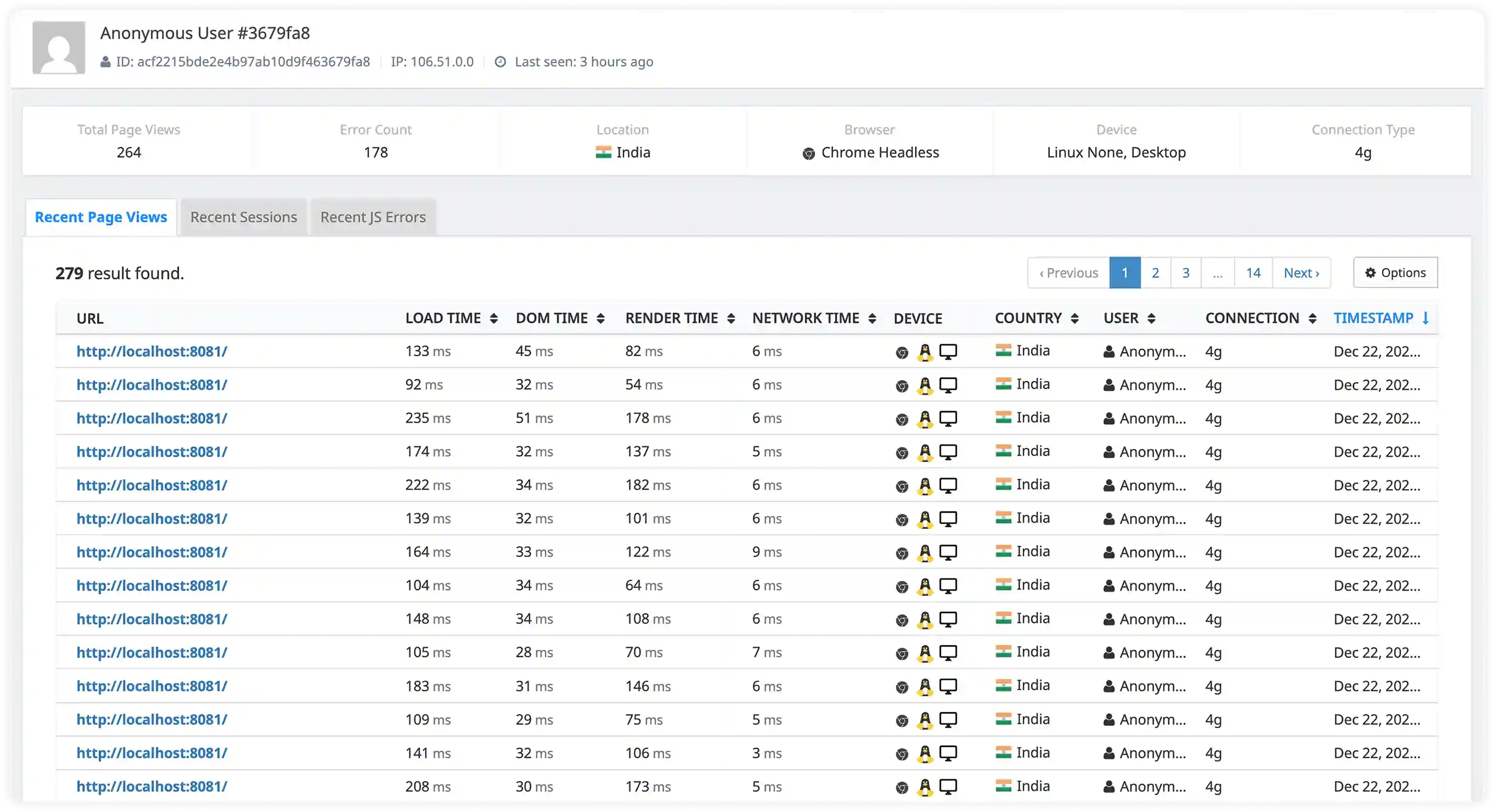
Capture every component render cycle, hook execution, and state update to pinpoint wasteful re-renders and performance bottlenecks in live traffic.
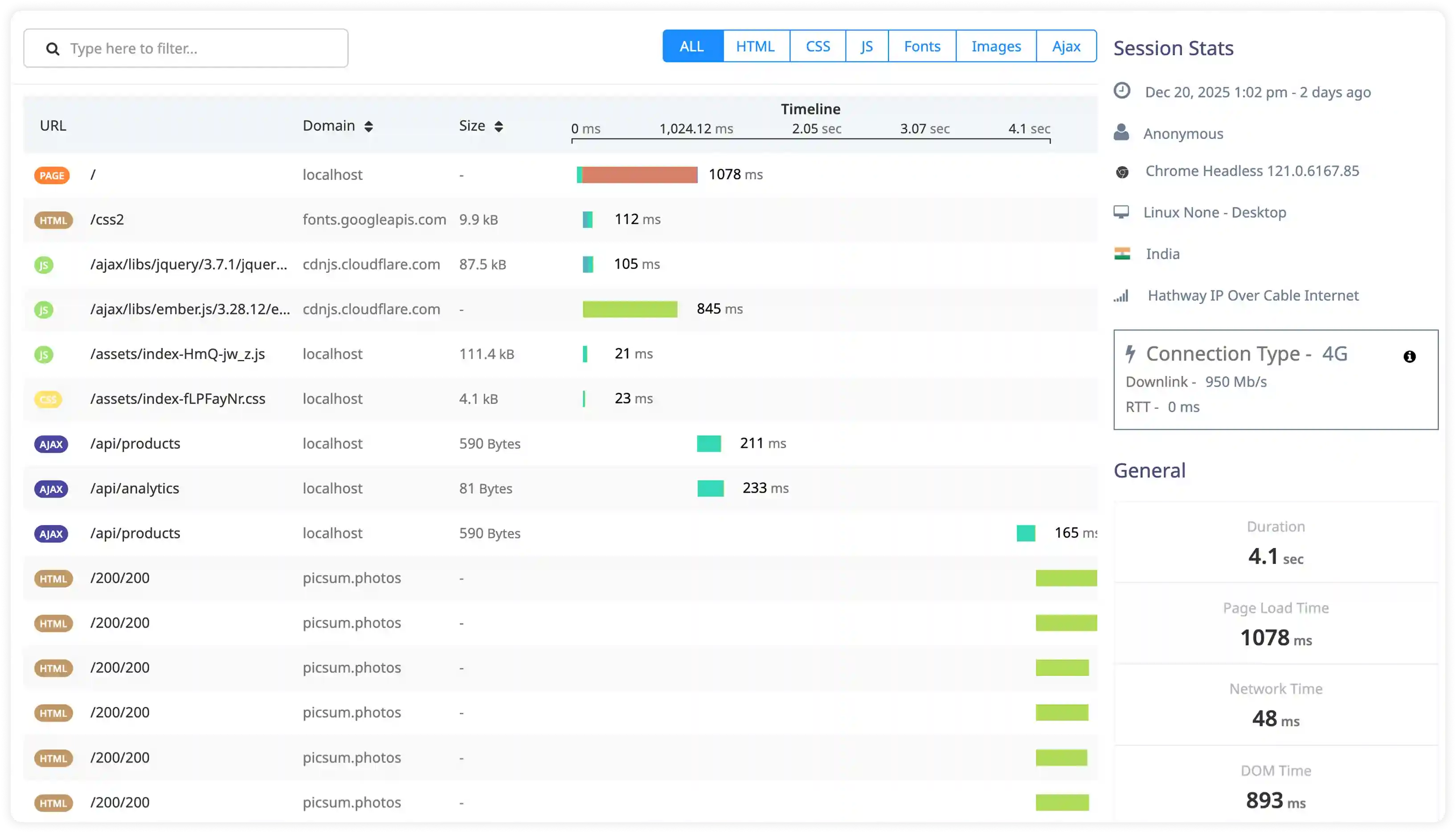
Track React Router transitions, Suspense boundaries, and lazy loading waterfalls to identify slow route changes and hydration delays.
Monitor useEffect, useState, useMemo, and custom hook execution times across real sessions to optimize dependency arrays and prevent stale closures.
Catch errors thrown in component trees, Suspense fallbacks, and concurrent rendering failures with full component stack traces and fiber node context.
Trace user clicks, form submissions, and keyboard events through React's synthetic event system to ReactDOM reconciliation delays.
Link slow user interactions directly to specific component trees, concurrent features, and server-side rendering hydration mismatches.
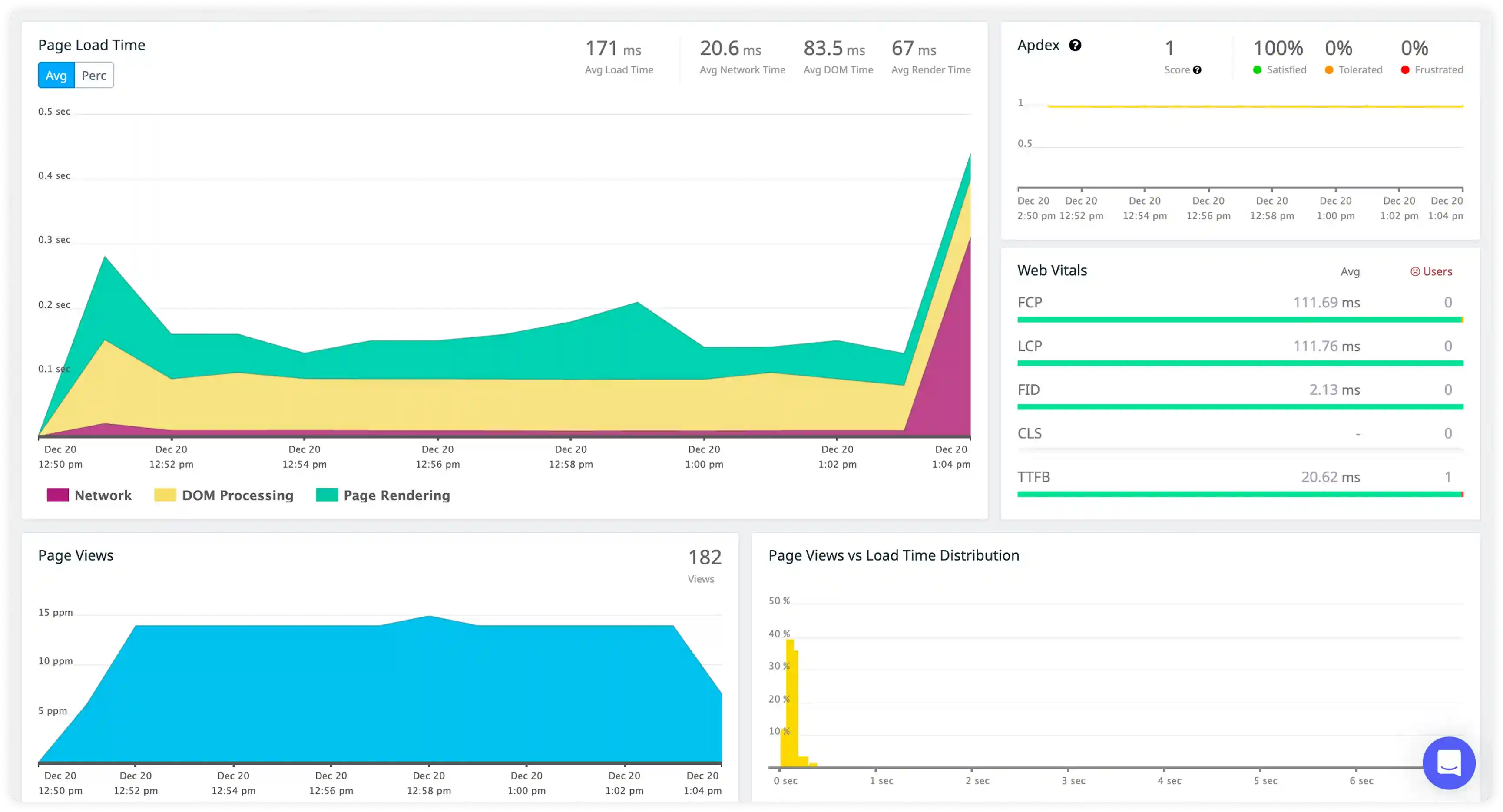
Measure time-to-interactive under concurrent rendering, transitions, and useDeferredValue patterns across browser rendering engines.
Validate code splitting effectiveness and detect unused code paths through real user navigation patterns and bundle analysis.
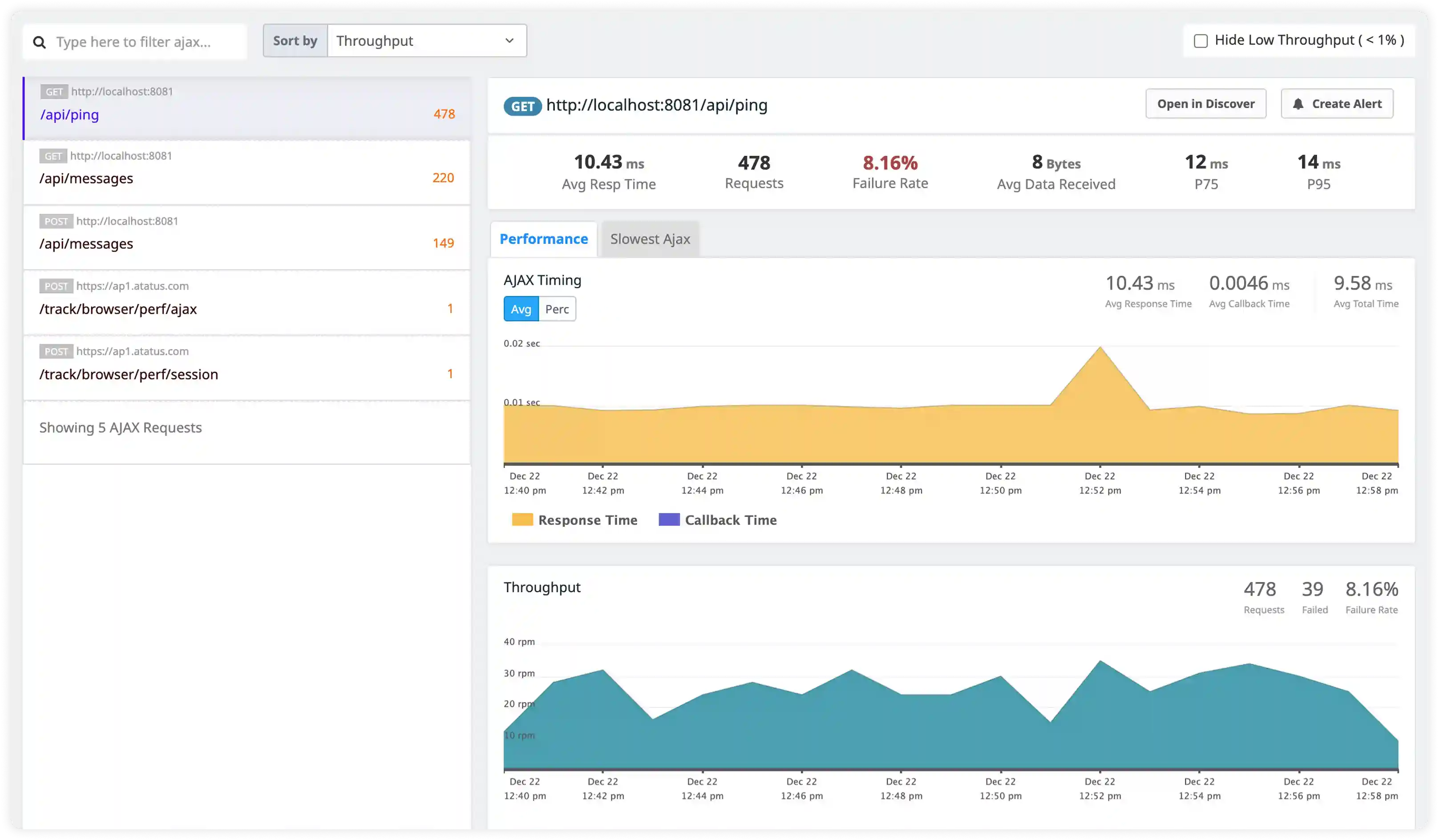
Master React rendering performance, hook execution, and concurrent features without instrumentation overhead.
Purpose-built insights into Fiber reconciliation, re-render cascades, and concurrent rendering patterns in production.
Real-time stack traces with component tree context, hook execution paths, and reproduction steps for rapid resolution.
Ultra-lightweight agent with zero sampling preserves React app performance while capturing complete user sessions.
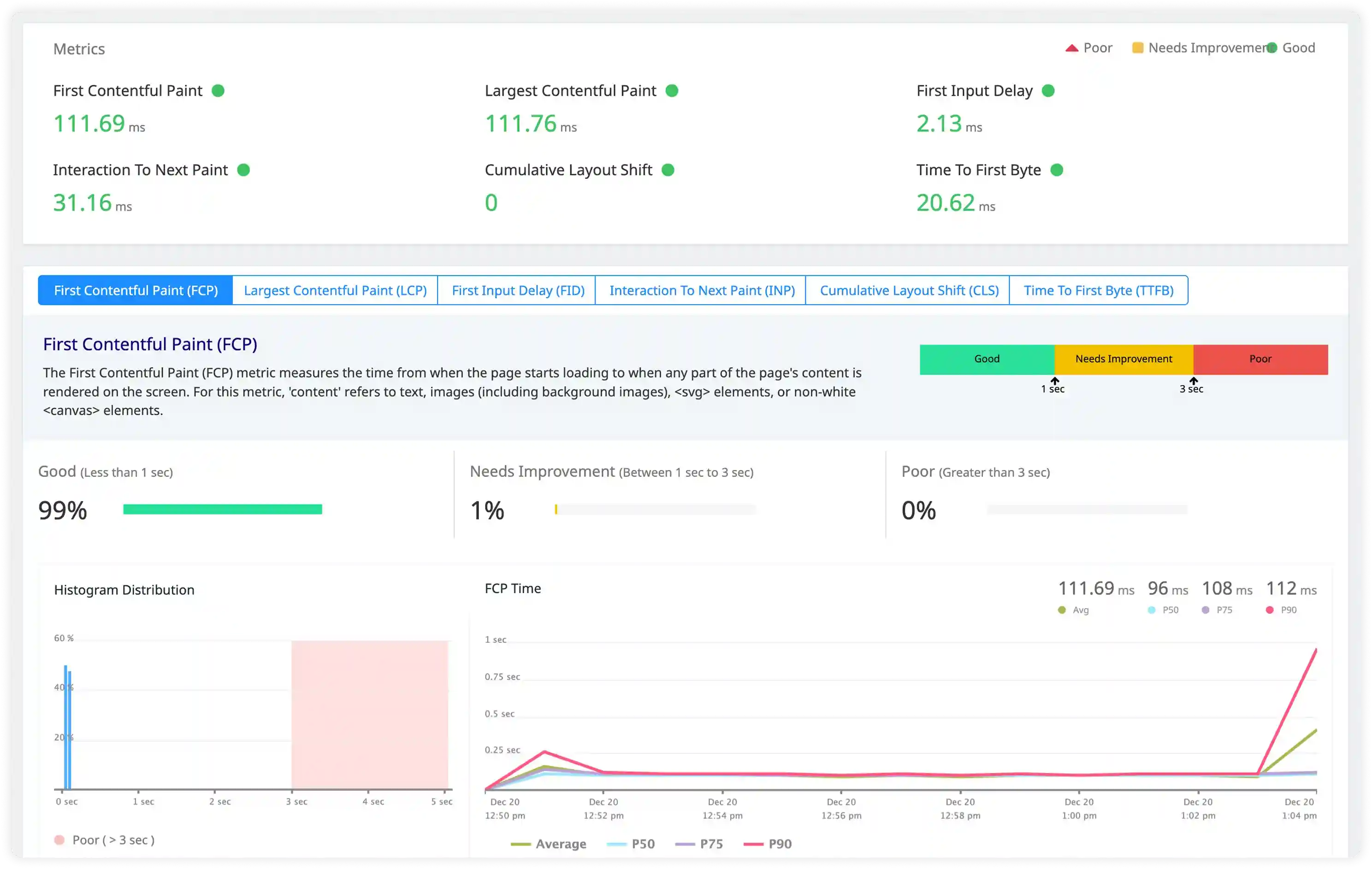
Clean LCP, INP, CLS measurements with React-specific attribution to component renders and hydration timing.
Proven reliability for high-traffic React SPAs, Next.js deployments, and global CDN distributions.
Predictable costs that scale with your React user growth—no vendor lock-in or feature limitations.
Atatus adapts to how engineering teams work across development, operations, and reliability.
Debug errors and slow paths with the full context of what happened.
Atatus for developersTrack deployments and see how each release affects stability.
Atatus for DevOpsWatch latency and error rates to ship with less production risk.
Atatus for release engineersPricing, deployment, data and the agent. If something is missing, a person will answer it on a demo call.
React performance monitoring collects in-depth metrics on each user-interaction and analyzes everything from page load events to HTTP requests to front-end application crashes.
Monitoring React apps helps you to pinpoint React issues, measure user experience with the key metrics provided and fix them as soon as possible.
In real-time monitoring, a small piece of code is injected into the application to collect metrics while it is in use.
The browser-based applications can be monitored by injecting a JavaScript code which tracks and detects the front-end performance issues along with the XHR requests.
It also provides you with in-depth front-end metrics which helps you in resolving the issues at a faster rate.
Atatus Real User Monitoring supports front-end frameworks such as JavaScript, AngularJS, Angular, React, Backbone, Ember, Vue, Ionic, Ionic2+ and Meteor.
Also, you can embed the JavaScript snippet in a web page inside the tag and monitor.
Yes, we collect the IP address of the browser client used by the user, which will be displayed in the users' information along with the page views, load time, error count and last seen of the user, respectively.
Yes, we do collect core web vitals metrics such as:
As part of Atatus Browser Monitoring, we have a Single Page Application (SPA) Monitoring feature that gives a 360-degree view of what customers are doing with single-page apps and AJAX-based apps.
The benefits of real-time monitoring of users are substantial.
Compared to all other browser monitoring tools Atatus offers affordable pricing plans. Collaboration requires in any monitoring tool so we do not limit your capabilities by charging per user.
We collect all the data points including Spans and Traces that are necessary for you without the need for you to select which to retain. With this you can easily monitor your entire application.
Rather than stop collecting the front-end performance metrics, our sales team will contact you to discuss the requirements.
Start free and send your first trace with OpenTelemetry or the Atatus agents. APM, logs, RUM, infrastructure and SIEM, all on one timeline.