Every switch, router and firewall.
Poll CPU, memory and every interface over SNMP, receive traps the moment a device sends them, and find new devices by scanning a subnet. One Atatus Infrastructure Agent does all three.
Point at a port. See its traffic.
Each device is drawn as its front panel, with the interface names its vendor really uses.
- Oper status
- Down
- Admin status
- Enabled
- Type
- gigabitEthernet
- Utilization
- 0 %
- Avg in0 Mb/s
- Avg out0 Mb/s
- In errors0/s
- Out errors0/s
- In discards0/s
- Out discards0/s
No traffic while the interface is down.
- CPU
- 31 %
- Memory
- 54 %
- Uptime
- 11d 20h
- Ping
- Ok
- SNMP profile
cisco-catalyst.yaml- Interfaces
- 49 up · 1 down · 6 admin down
Sample data · hover or click a port, or use the arrow keys
Same IP, two sites. The right router.
Devices push traps to the agent on UDP 162. Namespaces tie each trap to the device that sent it, even when private IPs repeat.
namespace: chennai users: trapuser (sha / aes)namespace: singapore users: trapuser (sha / aes)- criticallinkDown
1.3.6.1.6.3.1.1.5.3v3 · auth + priv - infolinkUp
1.3.6.1.6.3.1.1.5.4v3 · auth + priv
- warningauthenticationFailure
1.3.6.1.6.3.1.1.5.5v3 · auth + priv - infolinkUp
1.3.6.1.6.3.1.1.5.4v3 · auth + priv
port: 162bind_host: 0.0.0.0traps_db_path: run/traps_dbScan a subnet. Get the profile.
Autodiscovery sweeps a range, identifies each device by its sysObjectID and collects with the matching vendor profile.
network_address: "10.10.0.0/24"snmp_version: "2"discovery_workers: 100discovery_interval: 36009 of 254 addresses answered SNMP
- sysName
- core-sw-01
- Enterprise OID
1.3.6.1.4.1.9Cisco- Model
- Catalyst 9300-48P
- OS
- IOS XE 17.9
83 vendor profiles, plus the generic profile
- 3com3com.yaml · 3com-huawei.yaml
- TP-Linktp-link.yaml
- A10a10.yaml
- Alcatel-Lucentalcatel-lucent.yaml
- Anueanue.yaml
- APCapc_ups.yaml
- Aristaarista.yaml
- Arubaaruba-switch.yaml · aruba-access-point.yaml · aruba.yaml
- Audiocodesaudiocodes-mediant-sbc.yaml
- Avayaavaya.yaml
- Avocentavocent-acs.yaml
- Avtechavtech.yaml
- Barracudabarracuda.yaml
- BlueCatbluecat-server.yaml
- Brocadebrocade.yaml
- Brotherbrother.yaml
- Chatsworthchatsworth_pdu.yaml
- Checkpointcheckpoint.yaml · checkpoint-firewall.yaml
- Chrysalischrysalis.yaml
- Ciscocisco-3850.yaml · cisco-csr1000v.yaml · cisco_uc_virtual_machine.yaml
- Cisco ACIcisco-aci.yaml
- Cisco ASAcisco-asa.yaml · cisco-asa-5525.yaml
- Cisco ASRcisco-asr.yaml
- Cisco Catalystcisco-catalyst.yaml · cisco-catalyst-wlc.yaml
- Cisco ICMcisco_icm.yaml
- Cisco ISEcisco-ise.yaml
- Cisco ISRcisco-isr.yaml · cisco_isr_4431.yaml
- Cisco Merakimeraki-cloud-controller.yaml · meraki.yaml
- Cisco Nexuscisco-nexus.yaml
- Cisco SBcisco-sb.yaml
- Cisco UCScisco-ucs.yaml
- Cisco WLCcisco-legacy-wlc.yaml
- Citrixcitrix.yaml
- Cradlepointcradlepoint.yaml
- Cyberpowercyberpower-pdu.yaml
- Delldell-poweredge.yaml · idrac.yaml · isilon.yaml
- Dialogicdialogic-media-gateway.yaml
- D-Linkdlink.yaml
- Eatoneaton-epdu.yaml
- ExaGridexagrid.yaml
- Extreme Networksextreme-switching.yaml
- F5f5-big-ip.yaml
- FireEyefireeye.yaml
- Fortinetfortinet.yaml · fortinet-fortigate.yaml
- Gigamongigamon.yaml
- HPhp-ilo.yaml · hpe-proliant.yaml
- Huaweihuawei.yaml
- iXsystemsixsystems-truenas.yaml
- IBMibm.yaml
- Infinerainfinera-coriant-groove.yaml
- Infobloxinfoblox-ipam.yaml
- Juniper Networksjuniper.yaml · juniper-ex.yaml · juniper-mx.yaml
- Linksyslinksys.yaml
- McAfeemcafee-web-gateway.yaml
- Mikrotikmikrotik-router.yaml
- Nasuninasuni-filer.yaml
- NECnec-univerge.yaml
- NetAppnetapp.yaml
- Netgearnetgear.yaml
- NVIDIAnvidia.yaml
- Omronomron-cj-ethernet-ip.yaml
- Opengear_opengear.yaml
- Palo Alto Networkspalo-alto.yaml · palo-alto-base.yaml
- Peplinkpeplink.yaml
- pfSensepf-sense.yaml
- Raritanraritan-dominion.yaml
- Riverbedriverbed.yaml
- Ruckusruckus-zd.yaml
- Server Ironserver-iron-switch.yaml
- Servertechservertech.yaml
- Silverpeaksilverpeak-edgeconnect.yaml
- Sineticasinetica-eagle-i.yaml
- Sophossophos-xgs-firewall.yaml
- Synologysynology-disk-station.yaml
- Tripplitetripplite_pdu.yaml
- Ubiquiti_ubiquiti.yaml
- Velocloudvelocloud-edge.yaml
- Vertiv_vertiv.yaml
- VMwarevmware-esx.yaml
- Watchguardwatchguard.yaml
- Western Digitalwestern-digital-mycloud-ex2-ultra.yaml
- Zebrazebra-printer.yaml
- Zyxelzyxel-switch.yaml
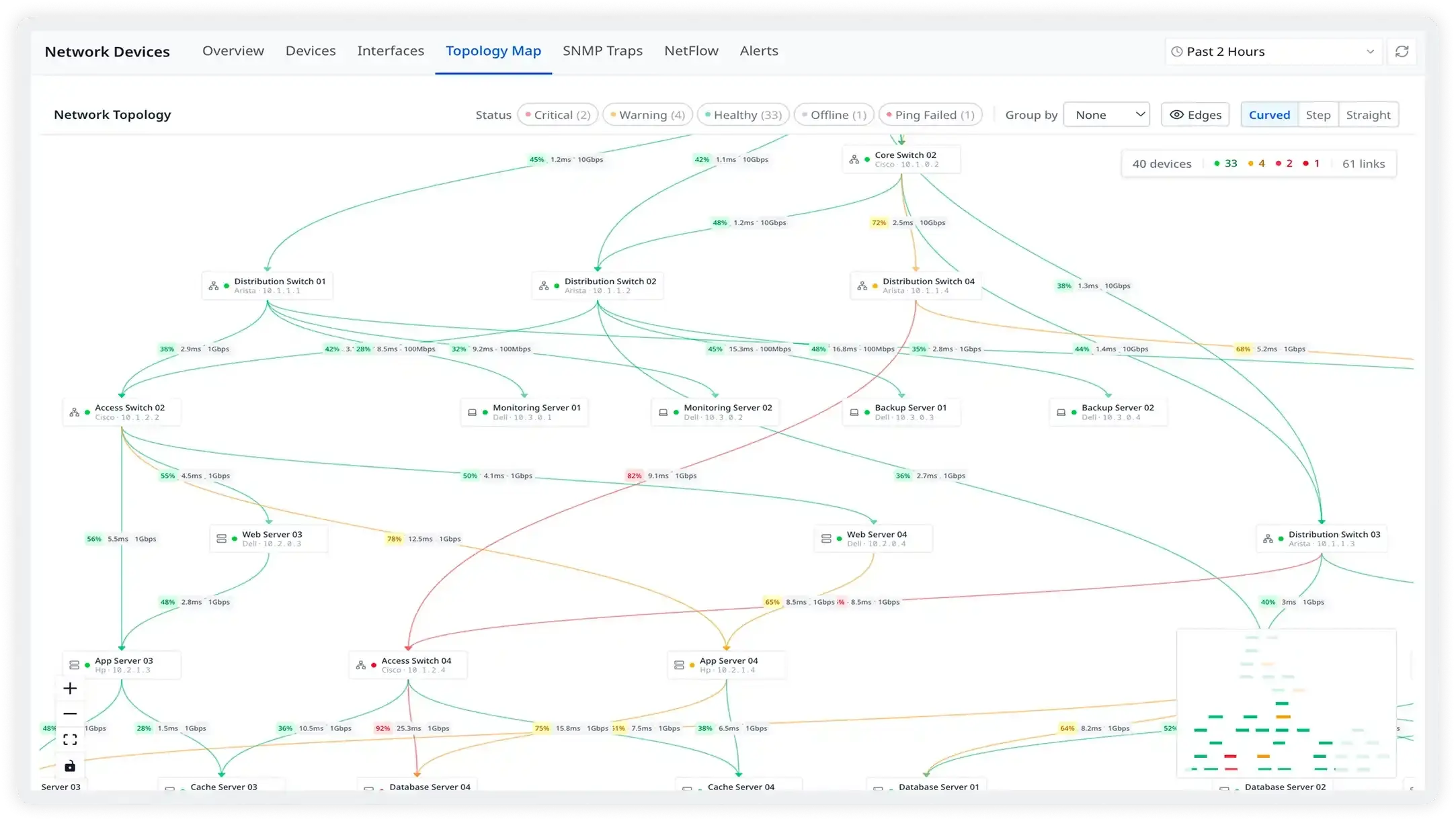
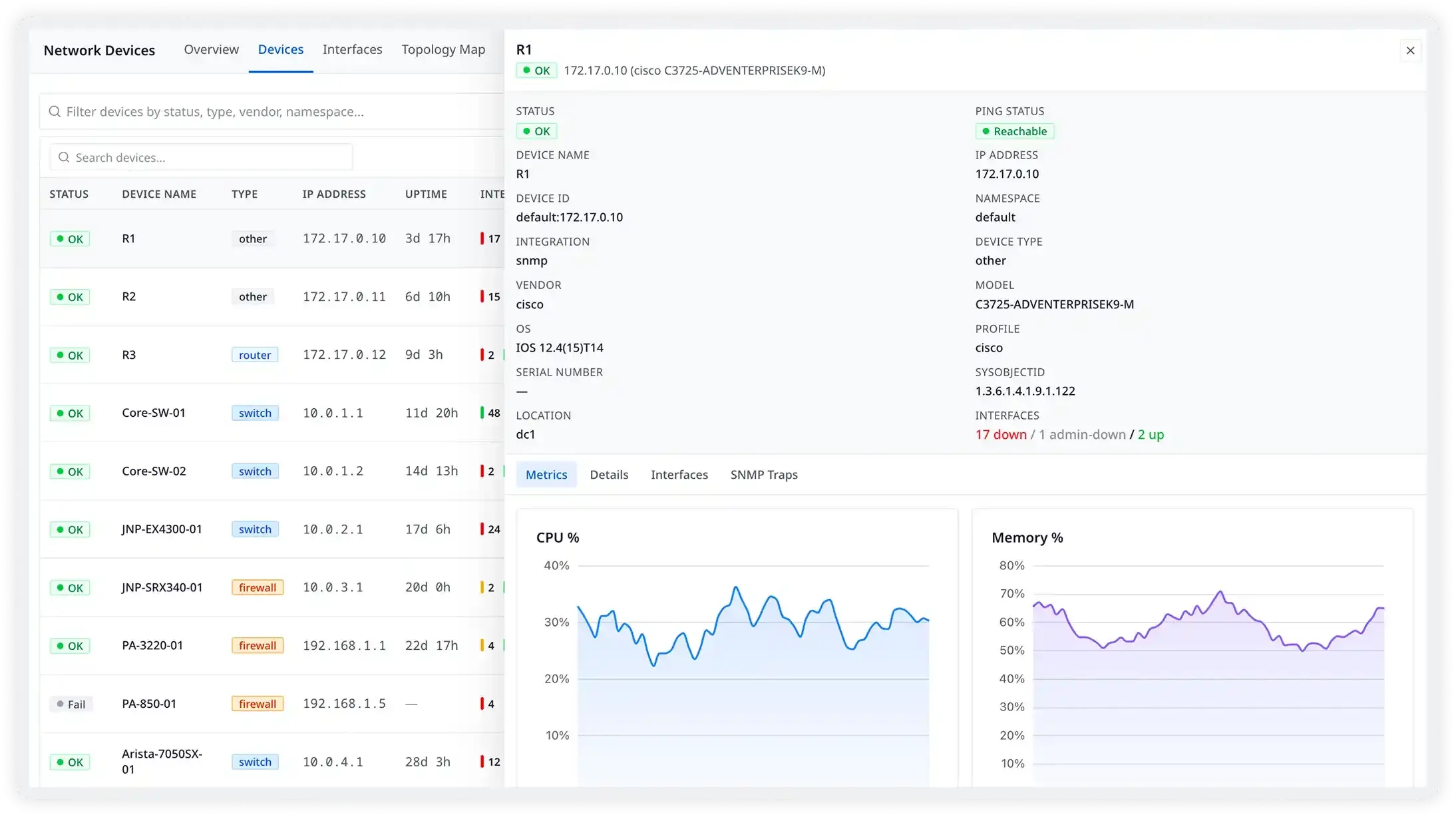
Click a device. See all of it.
Status, interfaces and health charts for any device in your fleet.
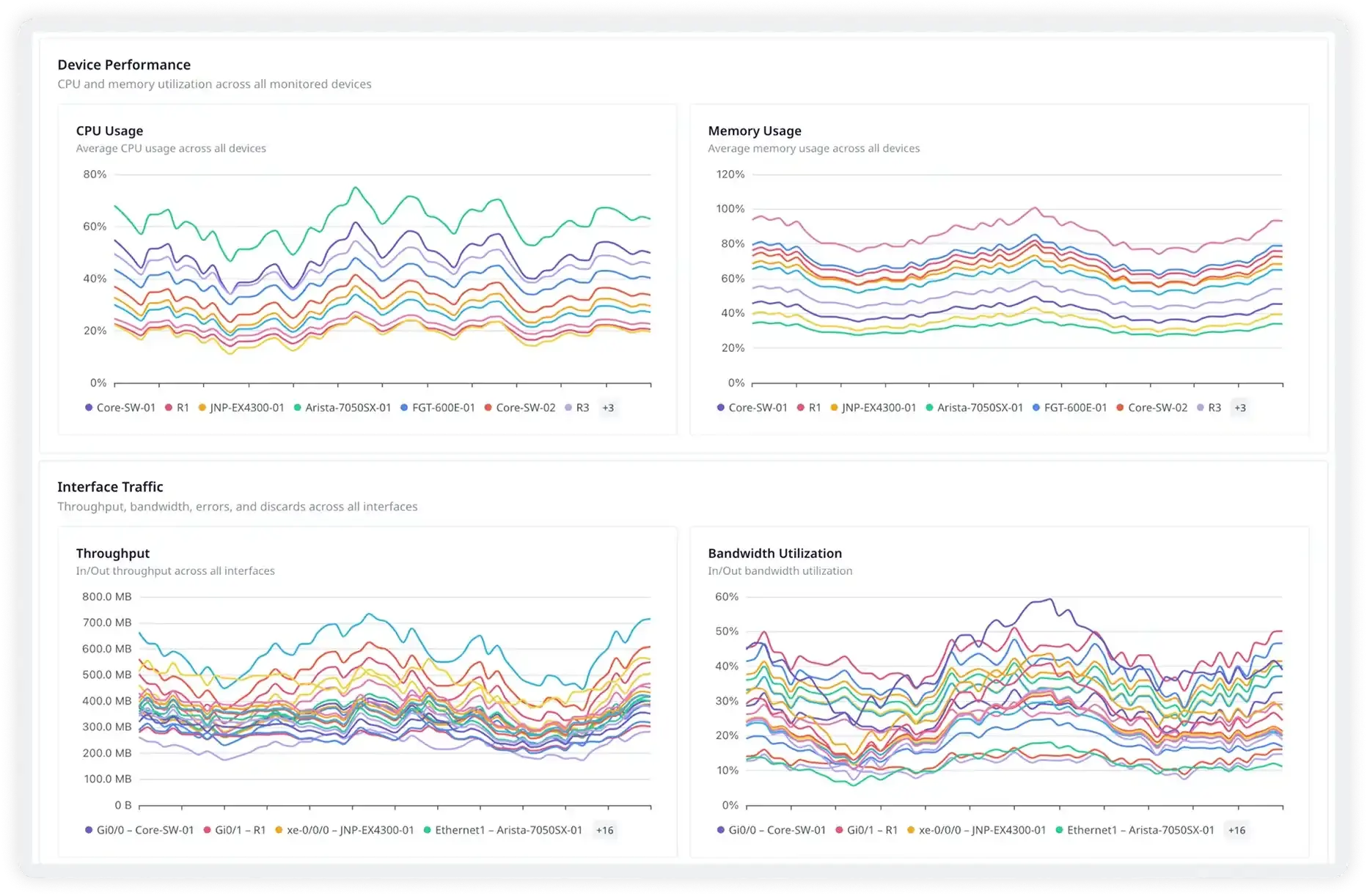
Network Devices, screen by screen.
Real screens from the Atatus app.
Questions about network device monitoring
Pricing, deployment, data and the agent. If something is missing, a person will answer it on a demo call.
Over SNMP, Atatus collects interface metrics (bandwidth, packets and errors), IP, TCP and UDP statistics and device metadata such as uptime, vendor, model, OS and firmware. Vendor profiles add device-specific metrics such as CPU and memory. Optional ping checks add round-trip time, packet loss and reachability.
No. Devices are polled over SNMP. The Atatus Infrastructure Agent 4.2.0 or later runs on a host that can reach them on UDP 161 and sends the data to Atatus over HTTPS 443. Nothing is installed on the devices.
SNMP v1, v2c and v3. Use community strings for v1 and v2c. For v3, set a user with an auth protocol such as SHA256 and a privacy protocol such as AES256.
SNMP traps are messages a device sends on its own when something happens, such as linkDown or coldStart. The agent's built-in trap receiver listens on UDP 162 and accepts SNMPv2 community strings and SNMPv3 users. Namespaces tie each trap to the right device when two sites use the same private IP.
Atatus has vendor profiles for Cisco (including Catalyst, Nexus, ASA, ISR, ASR and Meraki), Juniper, Arista, Palo Alto Networks, F5, Fortinet, Aruba, Dell, HP and many more. Devices without a vendor profile are monitored with the generic profile, which collects interface, IP, TCP and UDP metrics.
Yes. The agent listens on UDP for netflow5, netflow9, ipfix and sflow5 records, enriches flows with reverse DNS and aggregates them before sending, so you can see traffic by source, destination, port and protocol next to device health.
Turn on ping in snmp.yml. The agent pings each device and reports reachability, packet loss and round-trip time, and the device shows as Unreachable when ping fails. Network Device Monitoring is an alert source, so you can alert on it and notify channels such as Slack, PagerDuty, OpsGenie or a webhook.
Poll devices over SNMP, receive traps and see interface health and traffic in one place.
- SaaS
- On-premises
- Hybrid
- BYOC
- No per-user pricing
Compare Atatus with PRTG · SolarWinds