Watch the session behind the bug
Replay what real users did on your site: clicks, scrolls, inputs, network calls, console logs and JavaScript errors on one timeline. Sensitive inputs are masked automatically.
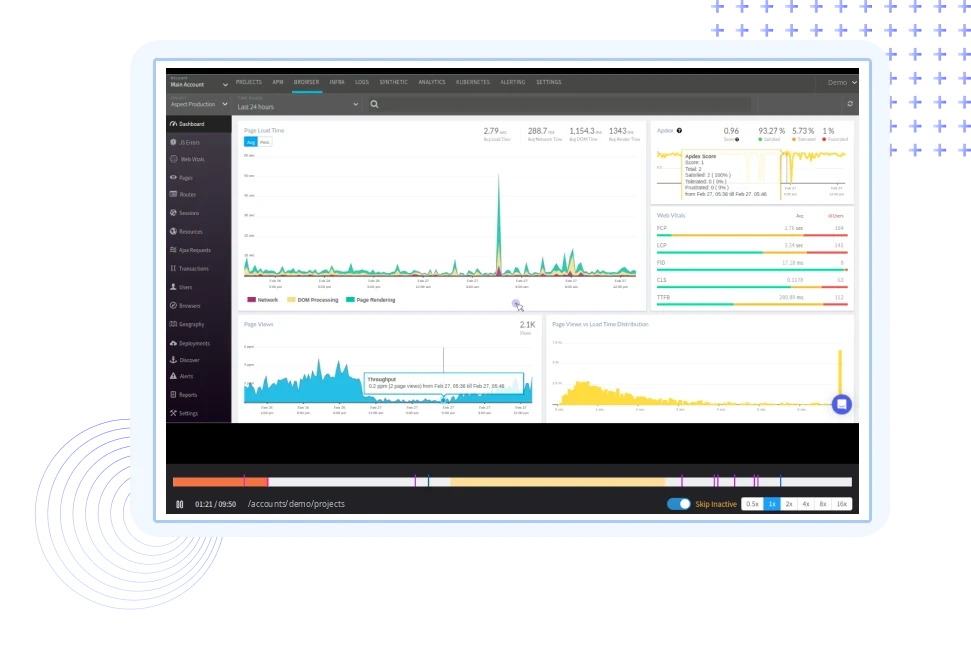
Watch what the user actually did.
Clicks, inputs, network calls and errors on one timeline. Play it fast and skip the idle part.
Sensitive inputs, masked.
Drag the divider. Left is what the user typed, right is what the replay keeps.
- maskedPasswords, card numbers and personal data, by default
- your ruleAny element you mark, by class or CSS selector
- visibleEverything else, so the replay still makes sense
The sessions worth watching.
Sort by errors, recency or length. Every row shows where the clicks and errors fall.
- 0:00 page
- 0:05 click
- 0:07 page
- 0:10 input
- 0:14 input
- 0:37 click
- 0:38 error
- 0:42 click
- 0:42 error
Last page /checkout · first error at 0:38
Sample data · open a session to see its timeline
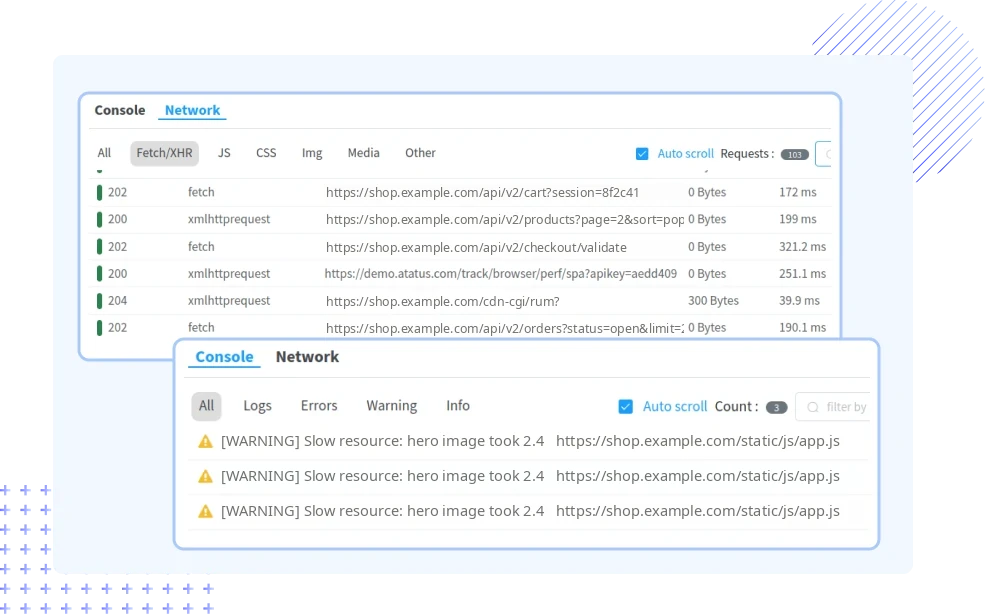
Network and console, in the replay.
Powering better performance for modern teams
"Solid Product even better support." The integration path is incredibly simple/easy and the overall interface is very intuitive. That said, I had a handful of odd use cases that the support team was incredibly responsive in helping me work through.
Questions about session replay
Pricing, deployment, data and the agent. If something is missing, a person will answer it on a demo call.
Session Replay records how a visitor used your site, the pages they opened, how they moved the mouse and where they clicked, and plays it back so you can watch exactly what they experienced.
Session Replay provides visual context for errors and issues. Instead of just seeing an error message, you can watch the user's journey leading up to the error, making it much easier to reproduce and fix bugs.
Sensitive inputs such as passwords and card numbers are masked in the replay. Atatus encrypts data in transit and at rest, keeps it in the region where it was collected, and is SOC 2 Type 2 audited and ISO 27001:2022 certified. See the Atatus GDPR page for how personal data is handled.
Each replay shows the page as the user saw it, with mouse movements, clicks and page navigations on one timeline. Beside the replay, a Network panel lists every request the page made with its status, size and duration, and a Console panel shows logs, errors and warnings in replay order.
The session list shows when each session was last seen, how long it lasted, the last page visited, the user and the location. Inside a replay, the Events panel lists every click and page navigation with its time, and you can search the events to jump straight to the moment you need.
Yes. Turn on Skip Inactive and playback jumps over stretches with no activity. You can also play a session at 0.5x, 1x, 2x, 4x, 8x or 16x speed, and drag the timeline to any point.
Watch real sessions with clicks, network and console, with sensitive inputs masked.
- SaaS
- On-premises
- Hybrid
- BYOC
- No per-user pricing
Compare Atatus with LogRocket