You can now see how your services, Kubernetes clusters and infrastructure connect on one interactive map, and spot where a problem started without switching dashboards. Flow View builds the map from the data Atatus APM, Kubernetes monitoring and the Infrastructure agent already send, so there is nothing new to install.
Anything that reports telemetry in the selected time range appears on the map. A host seen by the Infrastructure agent and the same host in an APM trace resolve to one entity, so services connect to the pods and hosts that run them without manual setup. The Flow View docs walk through each view.
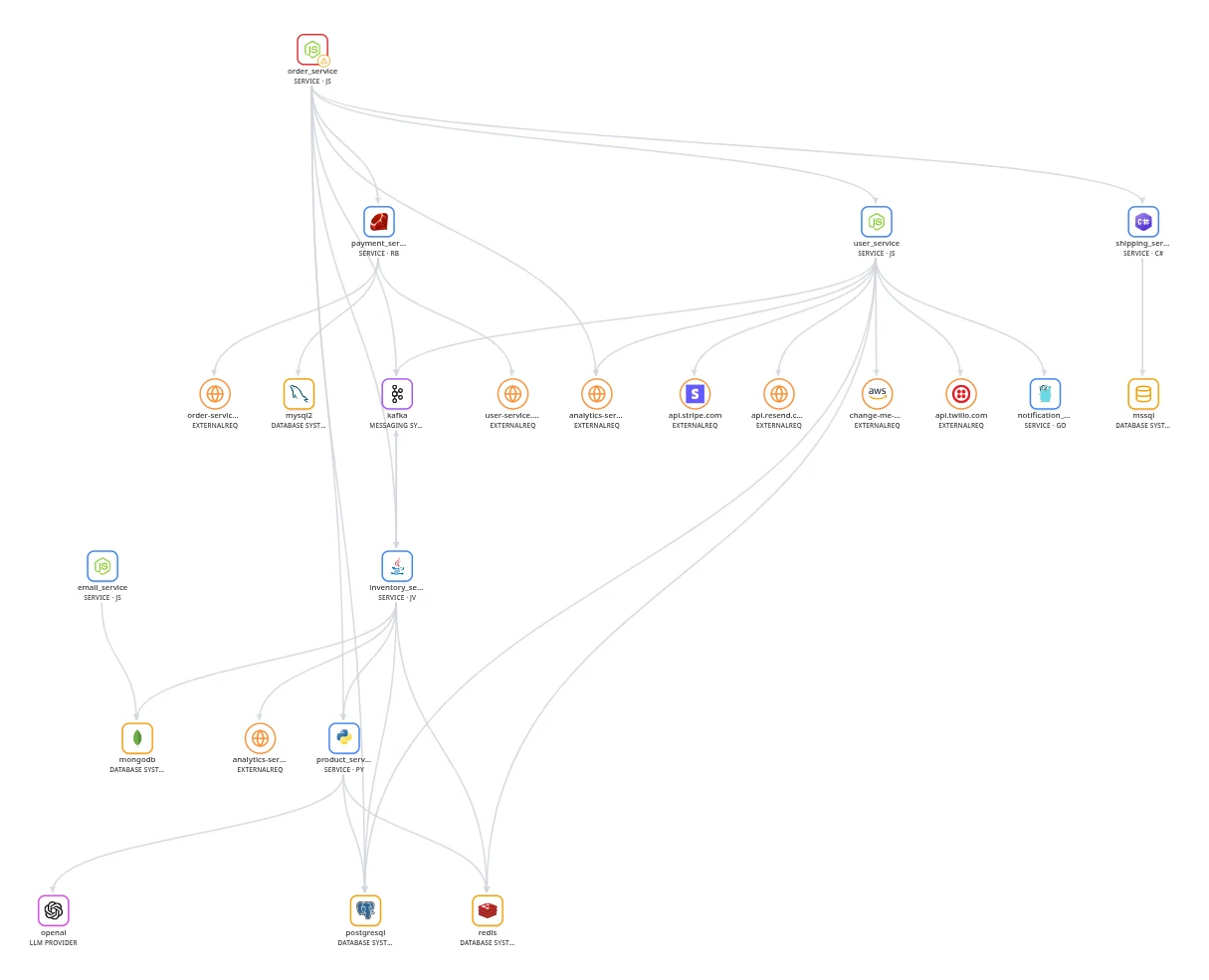
What you can do with Flow View
- Follow every dependency: The Service dependency view shows each service with the databases, message queues, caches, LLM providers and external APIs it calls. Expand a service to see which transaction calls which dependency.
- Isolate one service: Click Isolate on a service to show only it and its direct upstream and downstream dependencies.
- Drill into Kubernetes: Open a cluster to its namespaces, nodes and volumes, then down to workloads, pods and containers. Turn on Placement lines to see which node each pod runs on. See Kubernetes monitoring.
- Map your infrastructure: The Infrastructure overview nests each host in its cloud provider, region and availability zone, and opens a host to its process groups, disks and network interfaces.
- See problems on the map: The root cause of an active Problem gets a red border and entities with open Issues get an amber one. The Problems view links each Problem to its root cause and the entities it affects.
- Investigate in place: Click Investigate problem on an affected entity to see the Problem's status, severity, metric chart against its baseline and detected root cause, or start an AI root cause analysis in Atatus AI SRE.