Request Flow Explosion
A single Magento request fans out across controllers, blocks, plugins, observers, and helpers. Under production load, teams cannot reconstruct which execution path actually dominated runtime.
Get end-to-end visibility into your Magento performance with application monitoring tools. Gain insightful metrics on performance bottlenecks with PHP monitoring to optimize your application.
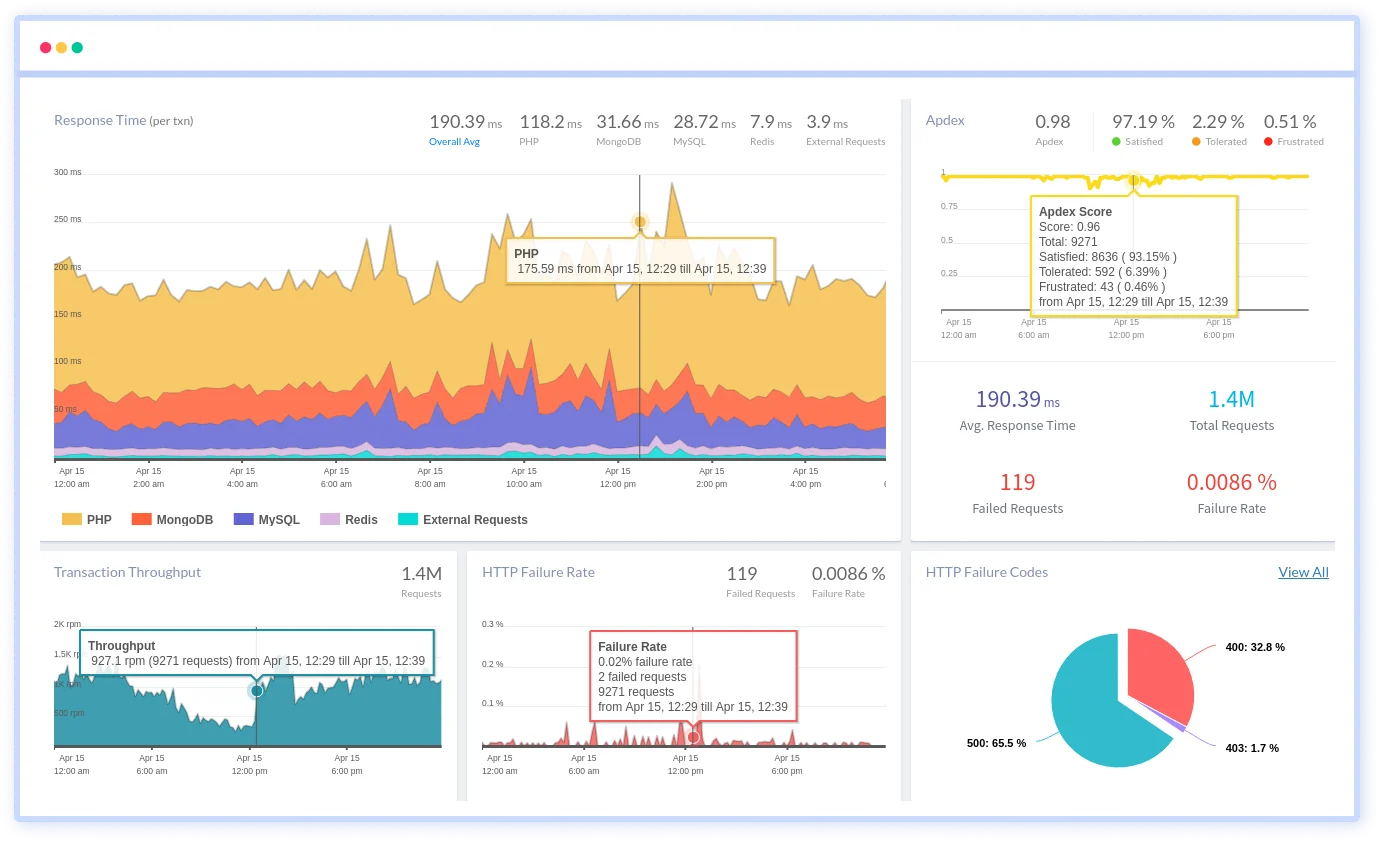
A single Magento request fans out across controllers, blocks, plugins, observers, and helpers. Under production load, teams cannot reconstruct which execution path actually dominated runtime.
Plugins wrap core and custom logic dynamically. Execution order and cumulative cost become invisible once multiple plugins intercept the same method.
Magento’s dependency injection container resolves large object graphs at runtime. Under load, resolution cost increases without clear attribution.
Checkout flows span validation, pricing, inventory, and external services. Failures emerge mid-flow, but execution context fragments before completion.
Background indexing and reindex triggers overlap with live traffic. Performance degradation appears unrelated to user requests, masking the true cause.
Cache invalidations propagate unevenly across requests. Teams see inconsistent performance without understanding what execution path bypassed cache.
Scheduled jobs compete with frontend and admin traffic. Under scale, cron-driven execution alters runtime behavior in non-obvious ways.
Observers trigger side effects across unrelated workflows. When latency spikes, engineers struggle to connect the slowdown to the original event trigger.
Real-time observability for Magento that helps teams optimize shopping experiences, resolve issues faster, and maintain reliable eCommerce performance at scale.
Track every step of the checkout flow to identify latency, errors, and drop-off points. Ensure fast and frictionless purchase experiences for customers.
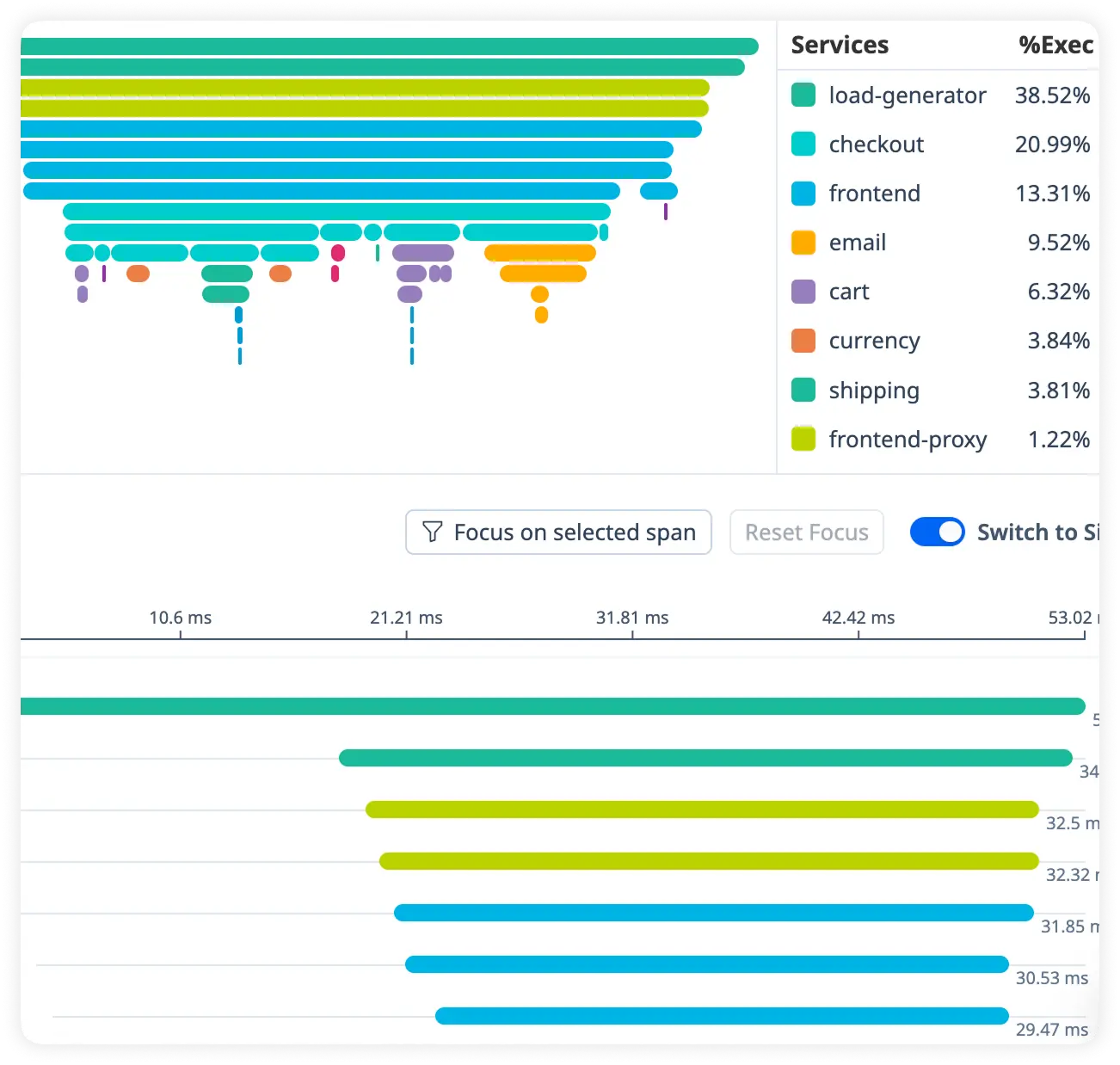
Measure how quickly cart actions process under live traffic. Detect slowdowns that impact user engagement and conversion rates.
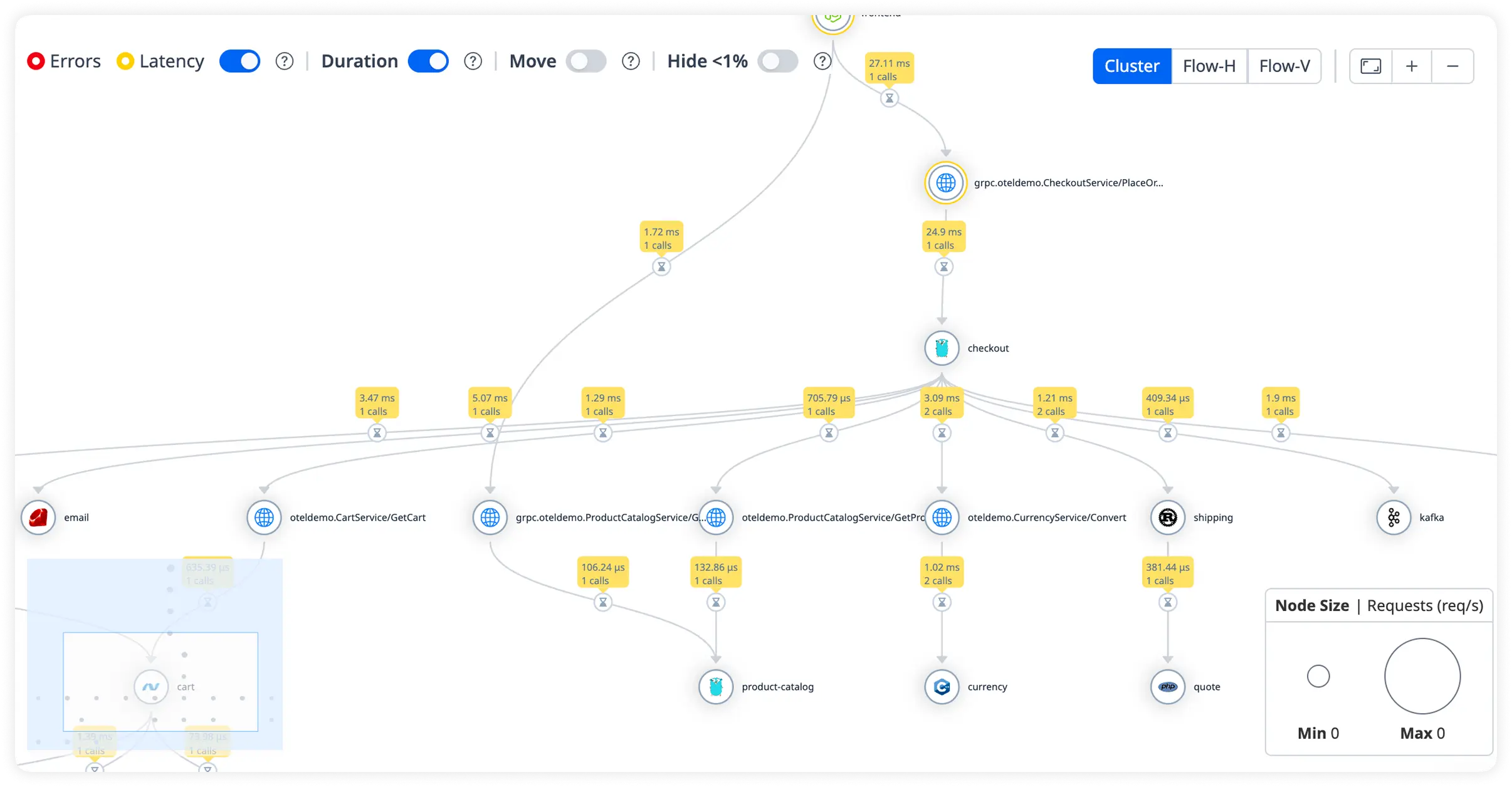
Analyze query execution time and database load across your Magento environment. Eliminate inefficient queries that slow storefront performance.
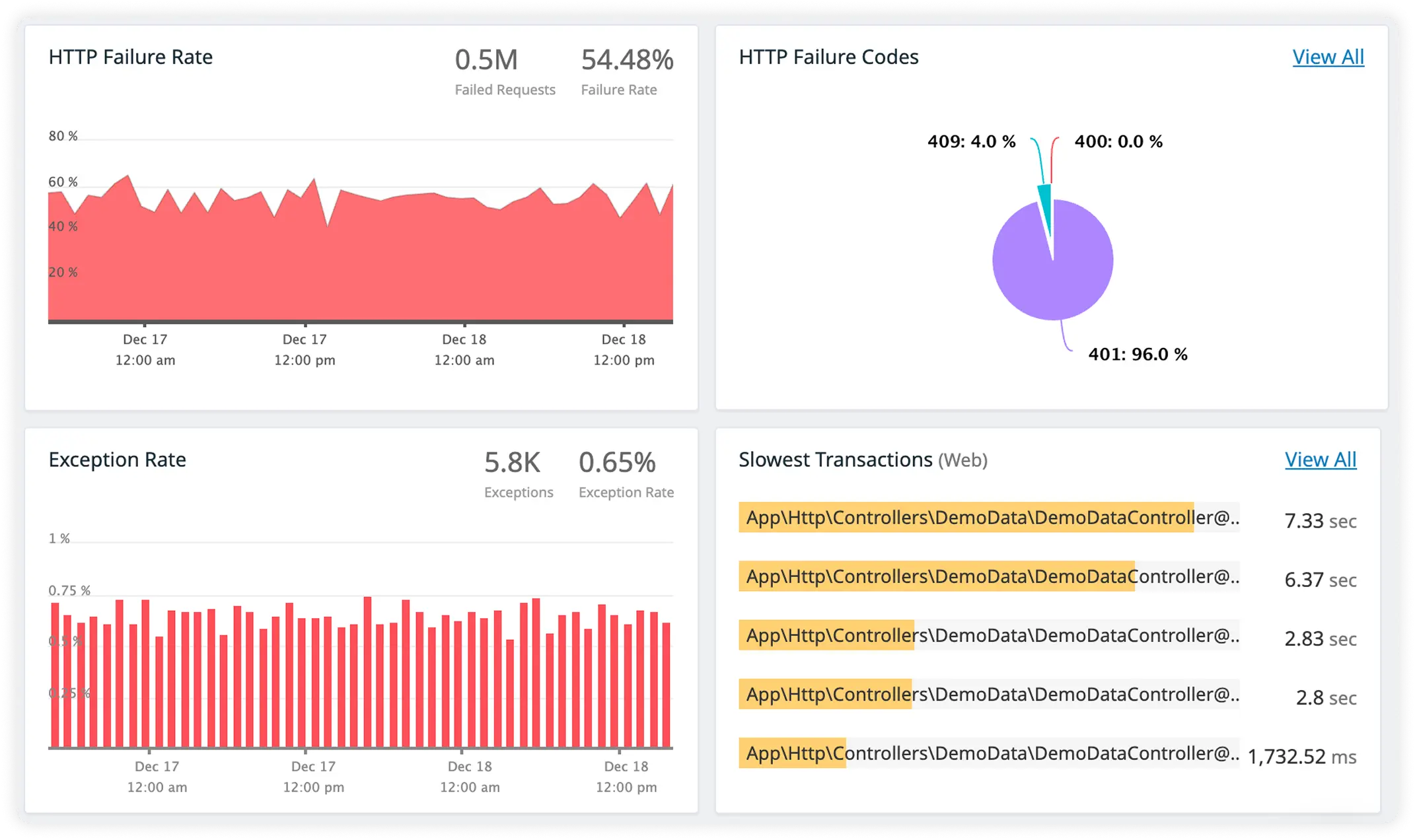
Track payment gateways, shipping APIs, and external services alongside correlated request logs. Debug faster with full context across performance data and runtime behavior.
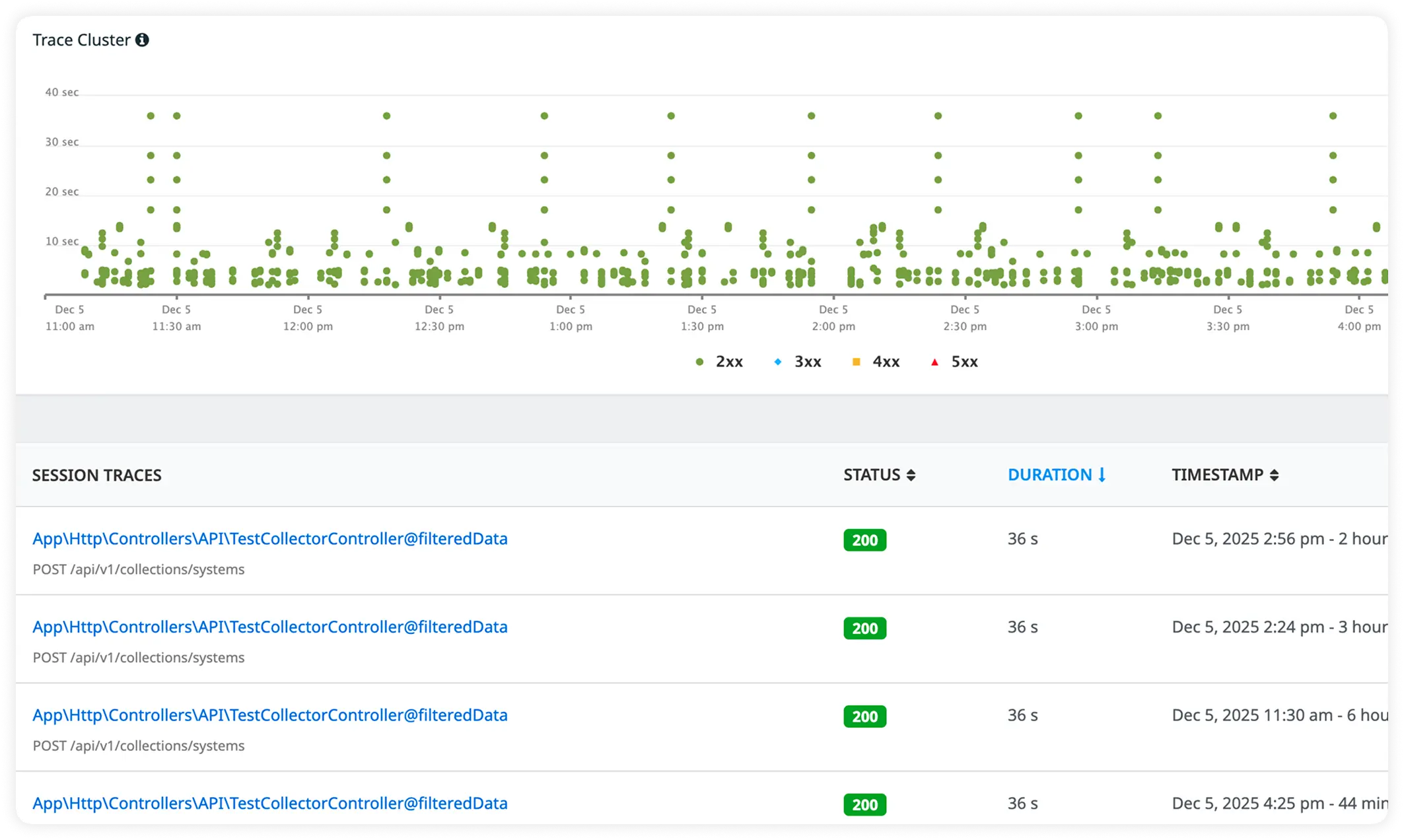
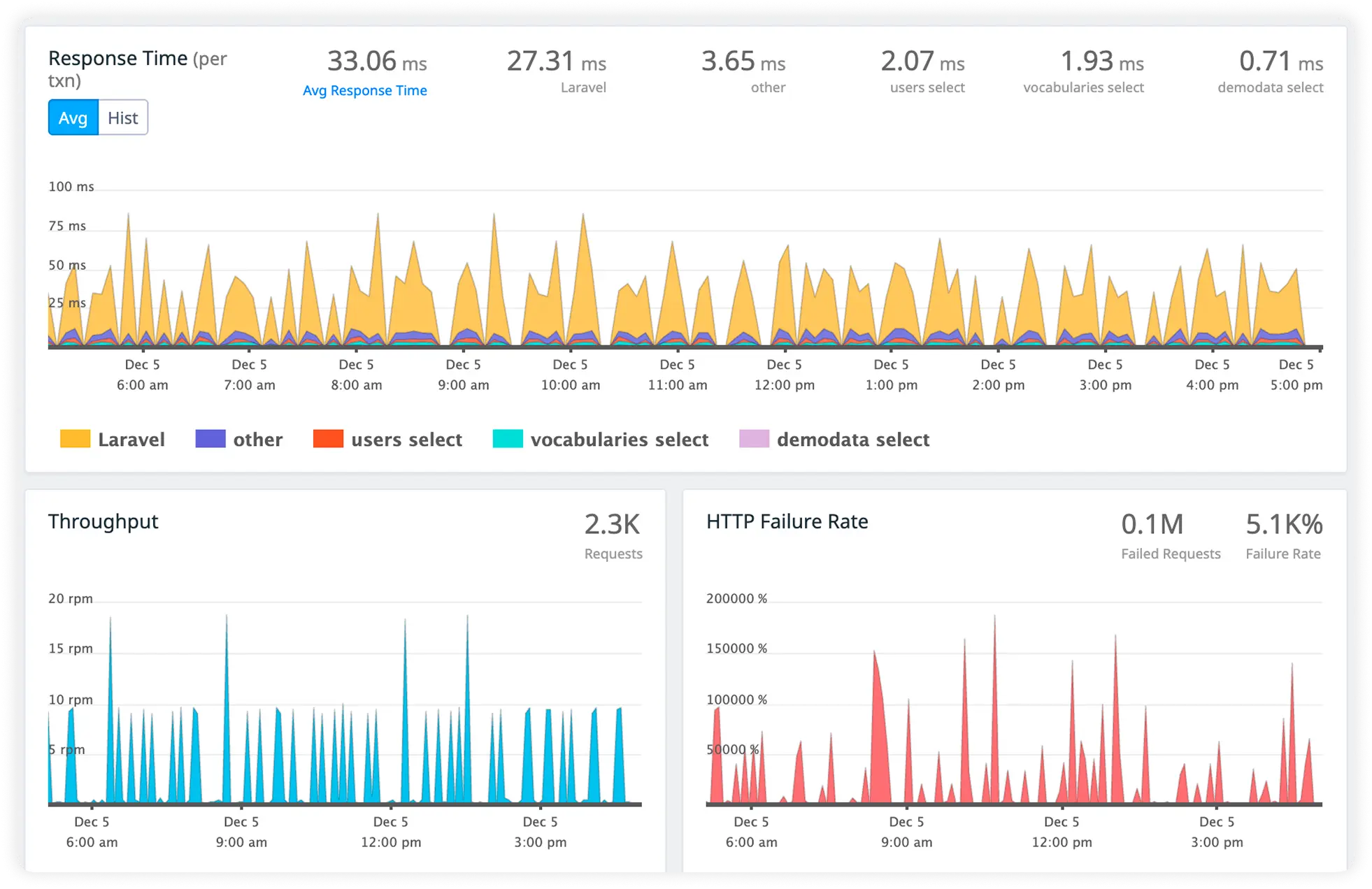
Magento teams choose Atatus when they need to reason about complex execution paths, not just page speed, across storefront, admin, and background workflows.
Teams understand how Magento requests actually execute across plugins, observers, and services instead of assuming linear flow.
Engineers reason about how multiple plugins interact at runtime without manually untangling interception chains.
Side effects triggered by observers are evaluated in execution context, reducing misattribution during investigations.
Teams diagnose checkout-specific execution issues with confidence, even when failures occur mid-transaction.
Indexing and cron execution are understood alongside live request behavior, preventing false conclusions.
Insight is gained without refactoring Magento modules or changing deployment workflows.
Platform, SRE, and backend teams align on the same execution reality instead of fragmented signals.
Engineers debug production issues using observed runtime behavior instead of stitching logs, metrics, and assumptions during high-pressure situations.
Teams view latency, errors, and execution behavior in a single runtime context instead of correlating multiple disconnected signals during production issues.
Atatus adapts to how engineering teams work across development, operations, and reliability.
Debug errors and slow paths with the full context of what happened.
Atatus for developersTrack deployments and see how each release affects stability.
Atatus for DevOpsWatch latency and error rates to ship with less production risk.
Atatus for release engineersPricing, deployment, data and the agent. If something is missing, a person will answer it on a demo call.
Magento performance monitoring involves tracking and analyzing various metrics to ensure that a Magento-based website operates efficiently. By using specialized Magento monitoring tools, businesses can gain insights into PHP performance, server response times, and the overall user experience. Effective Magento performance monitoring helps identify and resolve bottlenecks, ensuring optimal site performance and user satisfaction.
Implementing Magento monitoring tools helps in tracking these metrics and identifying areas for improvement.
Improving Magento application performance involves several strategies:
Using Atatus can significantly enhance your ability to monitor, analyze, and optimize your Magento application, ensuring a smoother user experience and better overall performance.
To check the performance of a Magento project, use comprehensive Magento performance monitoring tools that track various metrics such as load times, server response times, and PHP execution. Regularly review these metrics to identify performance bottlenecks. Implementing Magento error monitoring helps in detecting and resolving issues promptly. Additionally, periodic stress testing and performance audits can ensure the application maintains optimal performance.
Yes, Atatus can integrate seamlessly with popular frameworks and libraries that works best with Magento. You can use your Magento performance monitoring tool - Atatus with Laravel, WordPress, Drupal, Zend, Symfony, and CodeIgniter- to effectively track PHP performance, server response times, and database queries.
To implement Magento performance monitoring, you need a Magento application performance monitoring tool like Atatus. Here’s how:
This setup will provide comprehensive insights into your Magento application's performance, helping you optimize and maintain a high-quality user experience.


