
PhoneGap Error and Performance Monitoring
Get complete visibility into your PhoneGap errors and performance issues that are impacting your end user experience. Fix critical issues sooner with in depth data points that helps you in analyzing and resolving issues with great speed.
Gain complete visibility into PhoneGap webview rendering and AJAX performance bottlenecks.
PhoneGap page load waterfalls
Track HTML5 asset loading, CSS parsing, and JavaScript execution timing within PhoneGap webview environments.
Cordova AJAX request monitoring
Profile XHR/fetch calls, JSON-P requests, and cross-origin resource timing in PhoneGap single page applications.
Webview JavaScript execution
Measure script evaluation, DOMContentLoaded delays, and window.onload performance across PhoneGap deployments.
PhoneGap JavaScript error capture
Capture uncaught exceptions, eval() failures, and inline script errors with complete webview stack traces.
Webview interaction latency
Detect unresponsive click handlers, form submission delays, and scroll jank in PhoneGap web applications.
Resource to user impact correlation
Link slow PhoneGap assets, failed AJAX calls, and JavaScript errors to specific user session bottlenecks.
PhoneGap Core Web Vitals tracking
Monitor LCP, CLS, INP metrics specifically within PhoneGap webview rendering contexts.
Legacy PhoneGap optimization
Identify blocking resources, render-blocking CSS/JS, and memory-intensive DOM operations in PhoneGap apps.
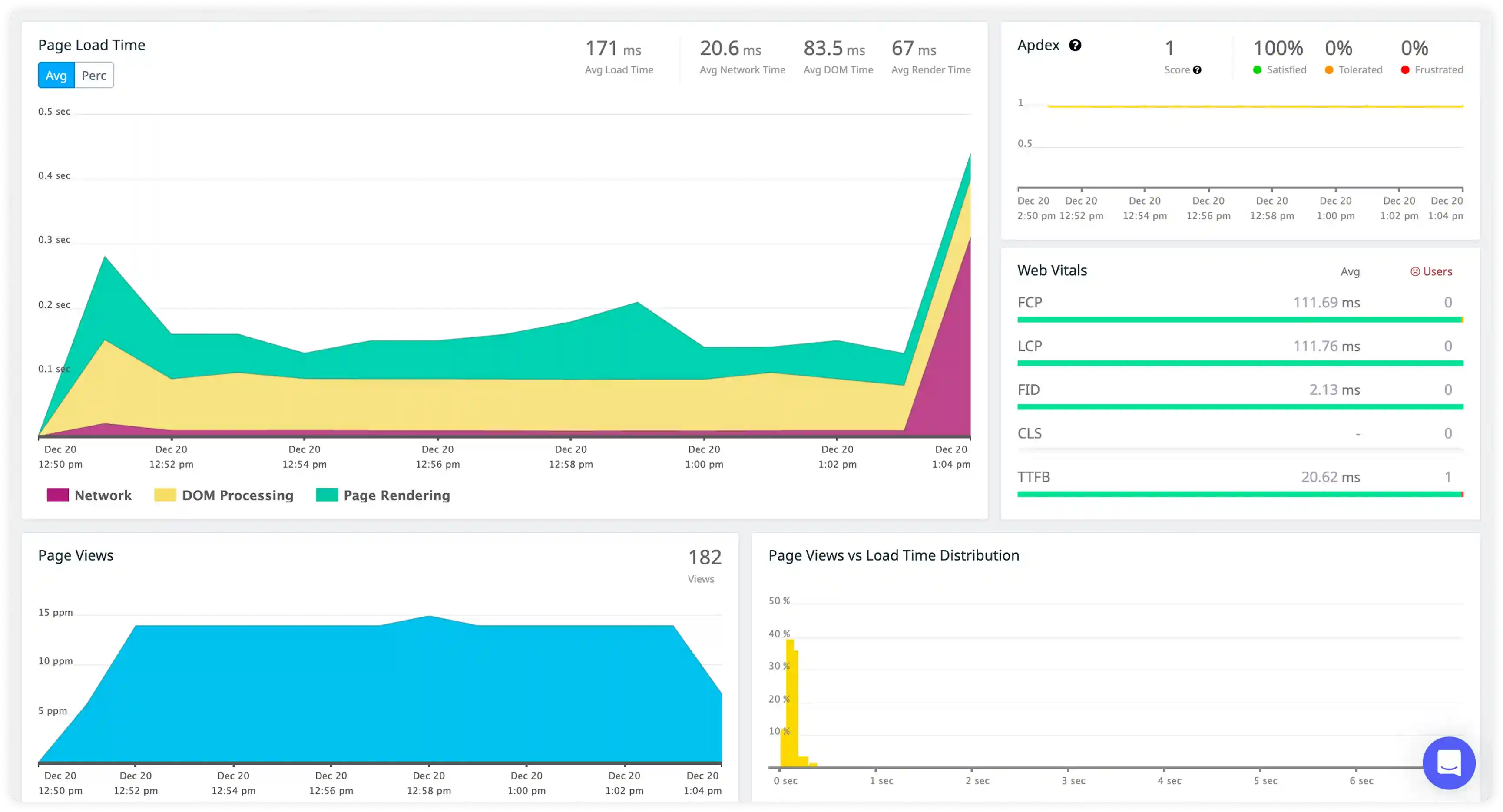
Component Rendering and WebView Execution
- Measure UI component render frequency inside the WebView during real user interactions and correlate execution cost with actual DOM update latency.
- Identify repeated UI updates triggered by JavaScript state changes or navigation events that do not produce meaningful visual differences.
- Analyze rendering performance across different devices, OS versions, and WebView implementations to surface platform-specific bottlenecks.
- Detect rendering slowdowns that affect scrolling smoothness, touch responsiveness, and visual stability.
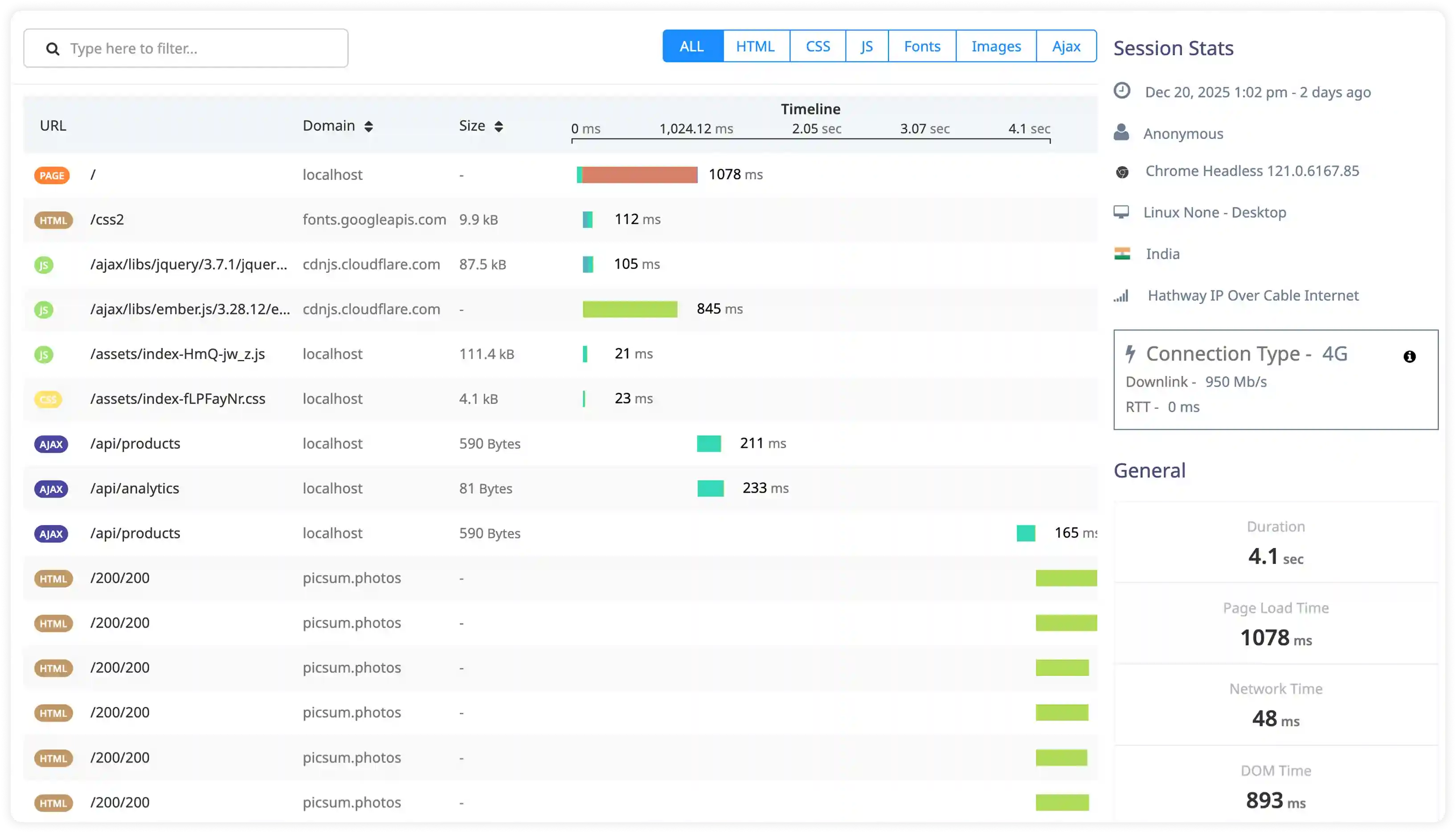
Navigation and Lifecycle Execution
- Break down navigation timing across page transitions, view initialization steps, and component mount phases within the hybrid app.
- Measure the delay between navigation triggers and full screen readiness to identify slow transition paths.
- Identify blocking operations during lifecycle events such as heavy scripts or synchronous data loading that delay UI rendering.
- Correlate navigation execution timing with workflow interruption, perceived latency, and interaction lag.
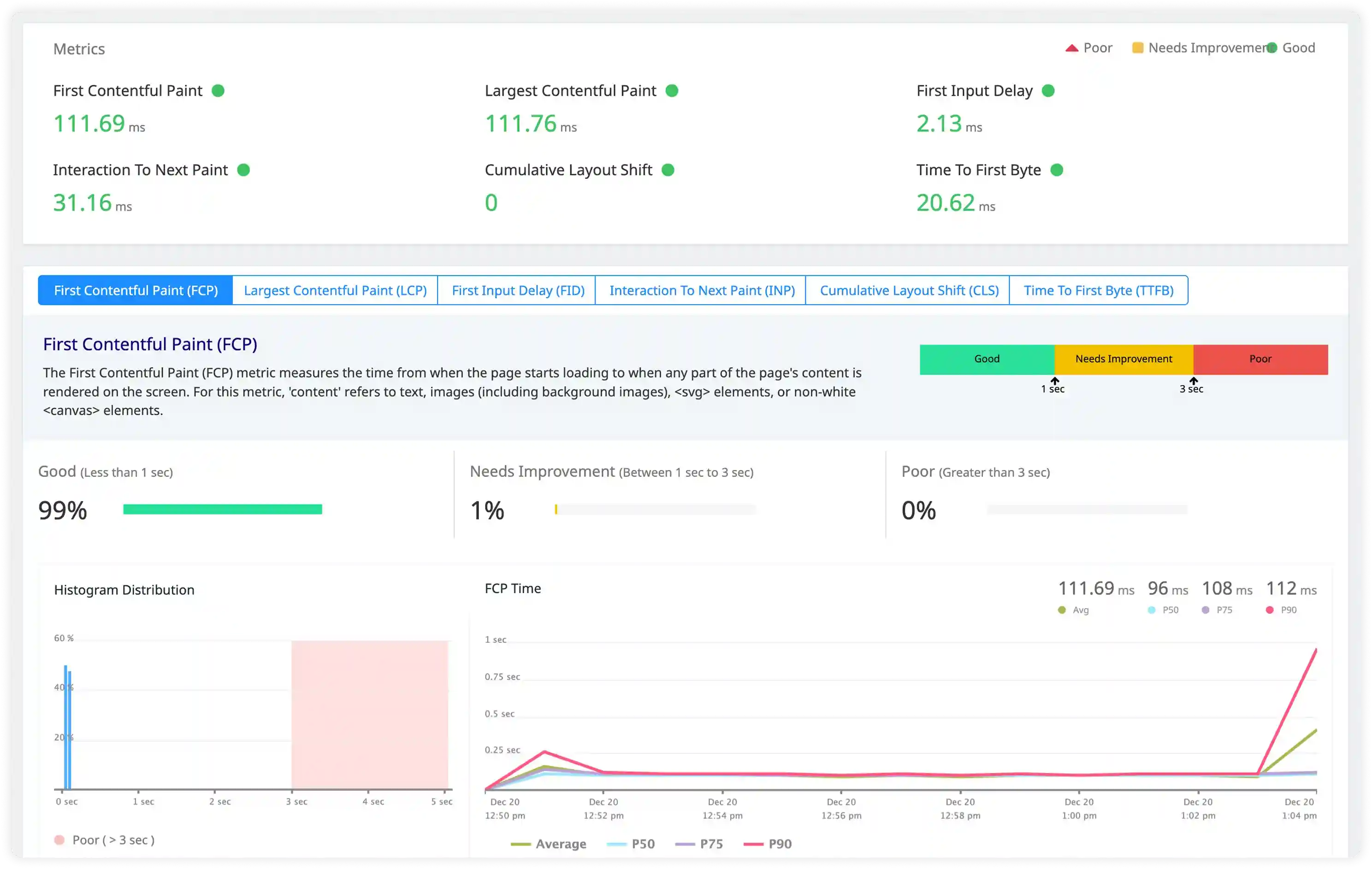
Asynchronous and Plugin Bridge Execution
- Track asynchronous execution from API calls, Cordova plugins, native bridge communication, and background tasks.
- Measure the delay between async completion and resulting UI updates triggered by JavaScript state changes.
- Identify concurrent async operations that compete for main thread resources and impact rendering performance.
- Correlate plugin bridge execution timing with overall app responsiveness, stability, and smoothness.
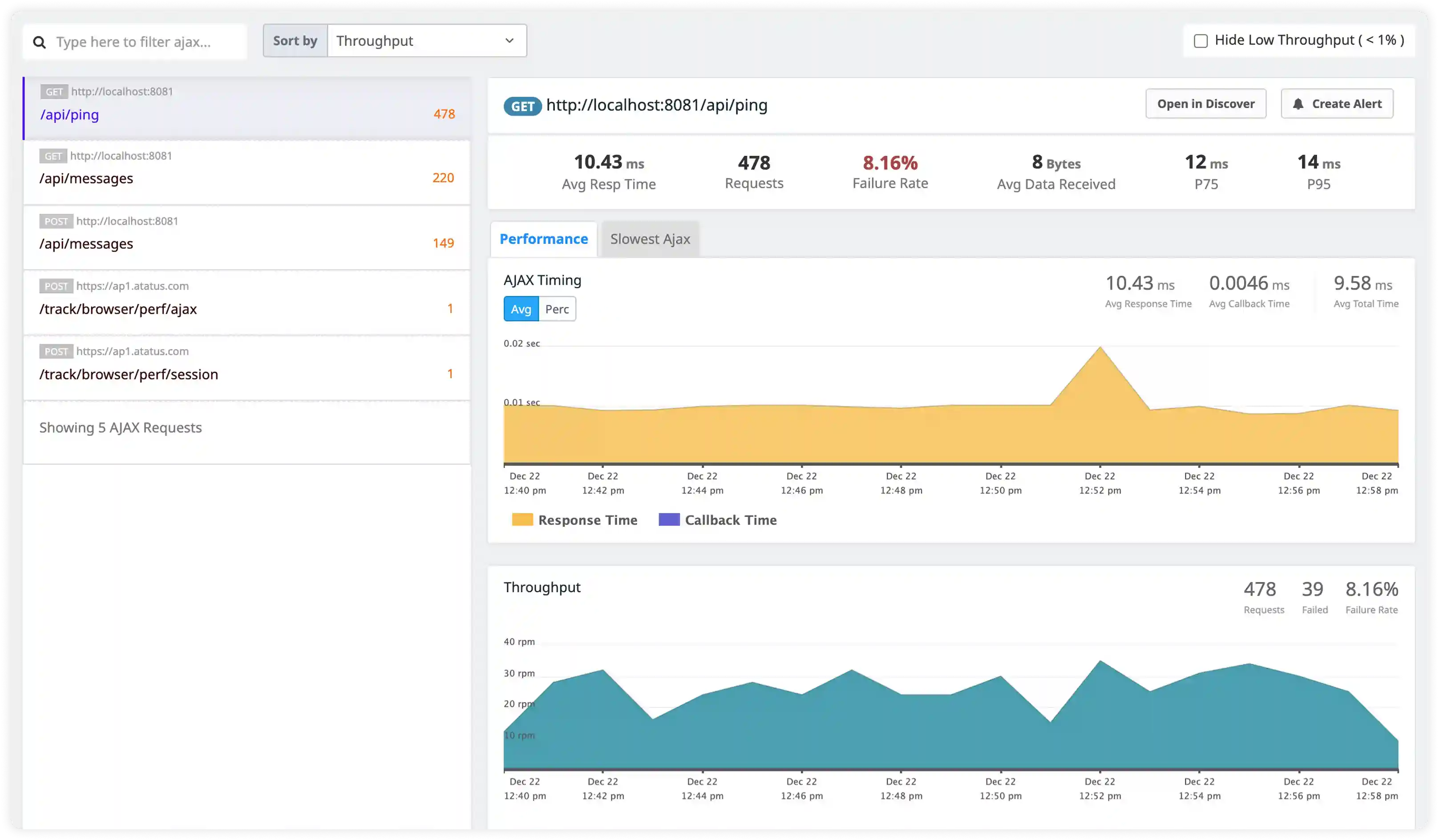
State and Data Synchronization Execution
- Measure latency between JavaScript state updates and UI rendering across screens and interaction flows.
- Identify redundant state propagation and repeated data updates that trigger unnecessary re-renders.
- Analyze data synchronization between local storage, device APIs, and remote services to surface performance bottlenecks.
- Detect synchronization delays and race conditions that affect user interactions and screen consistency.
Why Choose Atatus for PhoneGap RUM?
Optimize PhoneGap webview performance, AJAX reliability, and Core Web Vitals without Cordova rebuilds
Built for PhoneGap webviews
Native monitoring of Cordova webview lifecycle, AJAX waterfalls, and JavaScript execution paths.
PhoneGap web diagnostics
Webview render traces, XHR failure analysis, and page load breakdown for PhoneGap applications.
Zero-config PhoneGap integration
Automatic instrumentation via single script tag—no Cordova plugin installation or config.xml changes.
PhoneGap Core Web Vitals
LCP/CLS/INP metrics with PhoneGap-specific attribution to webview rendering and AJAX timing.
Webview SPA scaling
Enterprise monitoring for high-traffic PhoneGap web applications across global deployments.
PhoneGap growth pricing
Scalable costs for PhoneGap web sessions—no platform migration or rebuild requirements.
Unified Observability for Every Engineering Team
Atatus adapts to how engineering teams work across development, operations, and reliability.
Developers
Trace requests, debug errors, and identify performance issues at the code level with clear context.
DevOps
Track deployments, monitor infrastructure impact, and understand how releases affect application stability.
Release Engineer
Measure service health, latency, and error rates to maintain reliability and reduce production risk.